Solved

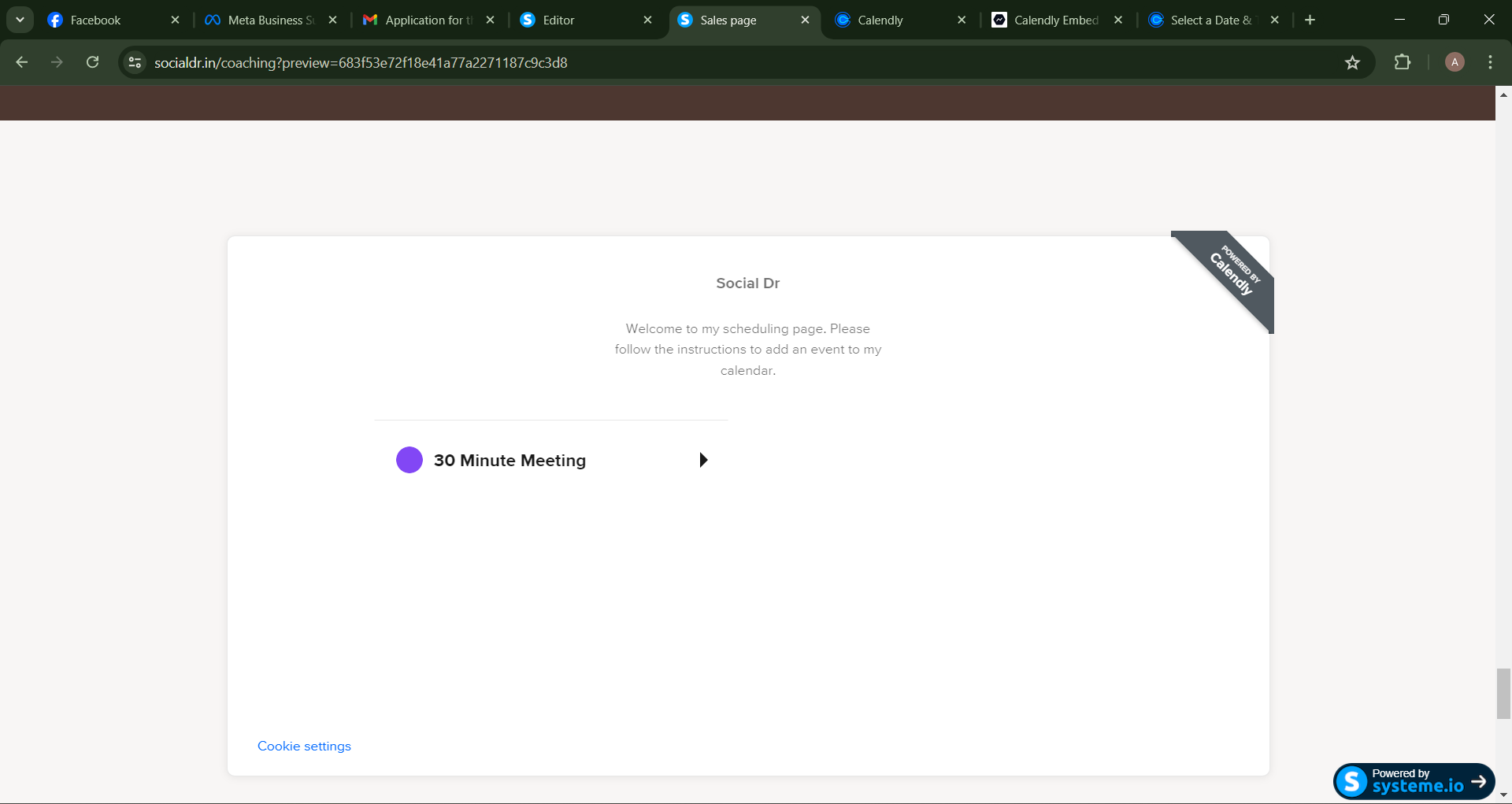
Why is my booking page not showing the date booking section in my website?

  • June 21, 2024
  • 2 replies
  • 102 views


Best answer by Kelsi

Hey there @SocialDr -- great question!

This is because instead of sharing your event type, you shared your entire booking page. This means if you had more than one event type to choose from, you’d see them all as options to click on. Then, you (or the invitee) would click on the event type desired (in this case, the only option is the 30 Minute Meeting) and from there you would see the calendar with dates/times to choose from. Try it out!

If you’d like invitees to be directly taken to that calendar-view booking page, you’ll want to share the event type itself. Below is a short video I made showing you how and what the difference is! 

You can also learn more here: Share Your Calendly Link. I hope this helps!
This topic has been closed for replies.

2 replies

Kelsi
  • CalPal Emeritus
  • Answer
  • June 21, 2024

Hey there @SocialDr -- great question!

This is because instead of sharing your event type, you shared your entire booking page. This means if you had more than one event type to choose from, you’d see them all as options to click on. Then, you (or the invitee) would click on the event type desired (in this case, the only option is the 30 Minute Meeting) and from there you would see the calendar with dates/times to choose from. Try it out!

If you’d like invitees to be directly taken to that calendar-view booking page, you’ll want to share the event type itself. Below is a short video I made showing you how and what the difference is! 

You can also learn more here: Share Your Calendly Link. I hope this helps!


  • Author
  • Community Member
  • June 22, 2024

Thanks for the reply. This helps a lot.