


See what’s new on your Meetings page

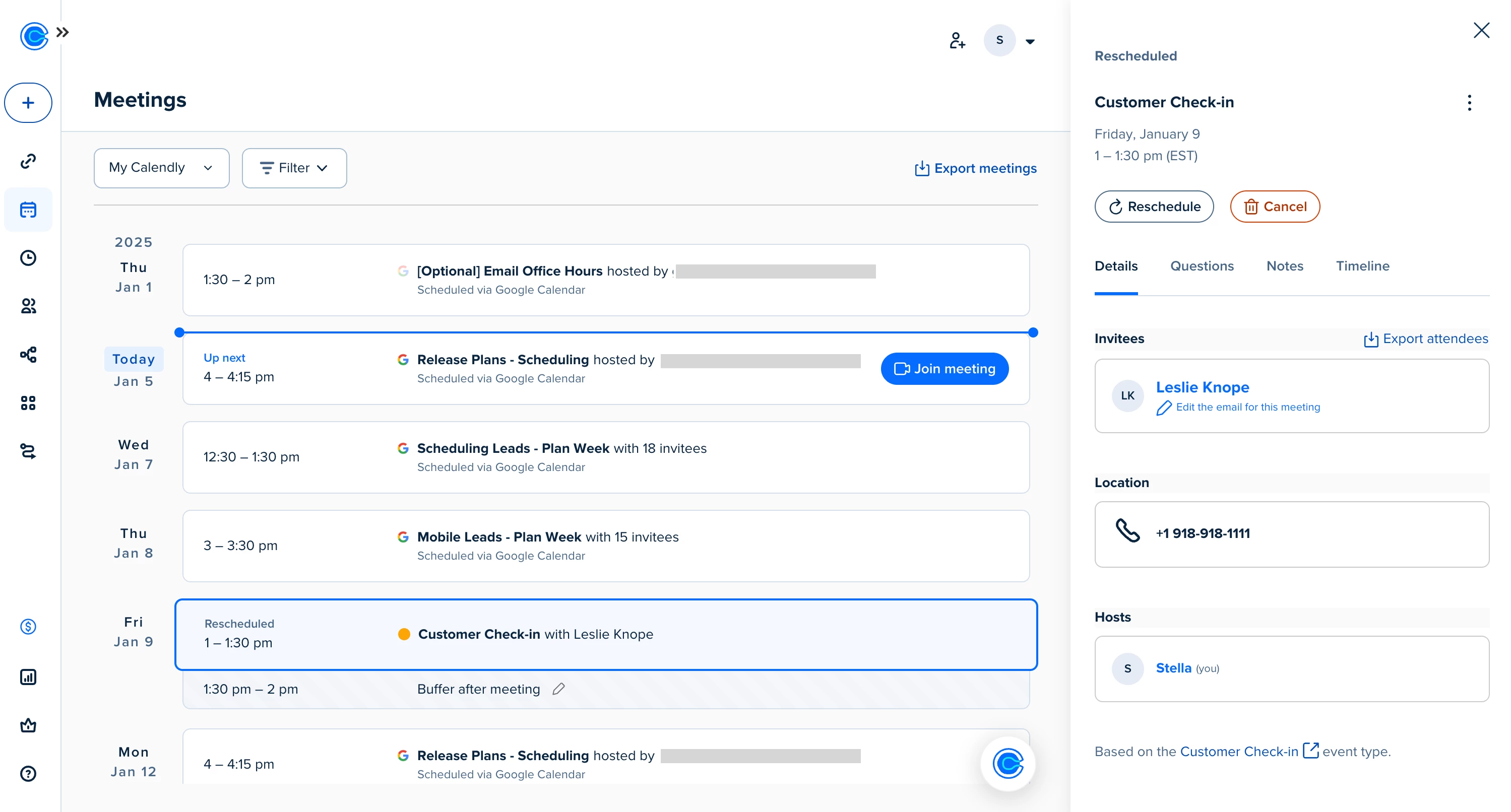
We’ve refreshed the Meetings page so you can quickly find, join, and take action on all your meetings from one place. Not seeing the updates yet? You will soon!
You’ll still find the Calendly functionality you count on, now with a clearer, more connected view of your meetings. Let’s walk through what’s new — and how to make the most of your updated Meetings page.
What’s new
✅ A simplified meeting view
Previously, upcoming and past meetings lived on separate tabs. Now, scroll to see what’s coming up — or look back at what’s already happened — all from the same page.
✅ Clearer meeting details
Click into a meeting to see the info you need (without digging). Details like attendees, location, invitee questions, and internal notes are neatly organized in the side panel.
✅ One place for all meetings
If you’ve connected your Google Calendar, you’ll now see those events on your page alongside your Calendly meetings so you can get a full picture of your day ahead.
Check out all Meetings page updates in this help center article and demo video.
More helpful connections
🔗 Meetings + Contacts
Every time a Calendly meeting is booked, that invitee’s contact profile is automatically created or updated. Click a name in the meeting details panel to quickly schedule a follow-up, send an email, or see their full contact record.
📝 Notetaker access (beta)
If you’re using Calendly’s Notetaker, you’ll see the option to turn it on or off per meeting right from this page. You can also jump straight to your post-meeting recap as soon as your call wraps up. Don’t have Notetaker yet? Stay tuned!
We appreciate your feedback — let us know what you think about the new Meetings page by emailing us at support@calendly.com.