There is no way to manually update the form that invitees fill out via your routing form after-the-fact, no. I am sorry! However, you can still fix this problem easily!
Firstly, you can make questions on the routing form itself required.
If you check out our Help Center article about setting up routing forms here, you will see in the “How to Set up Routing Forms” section:
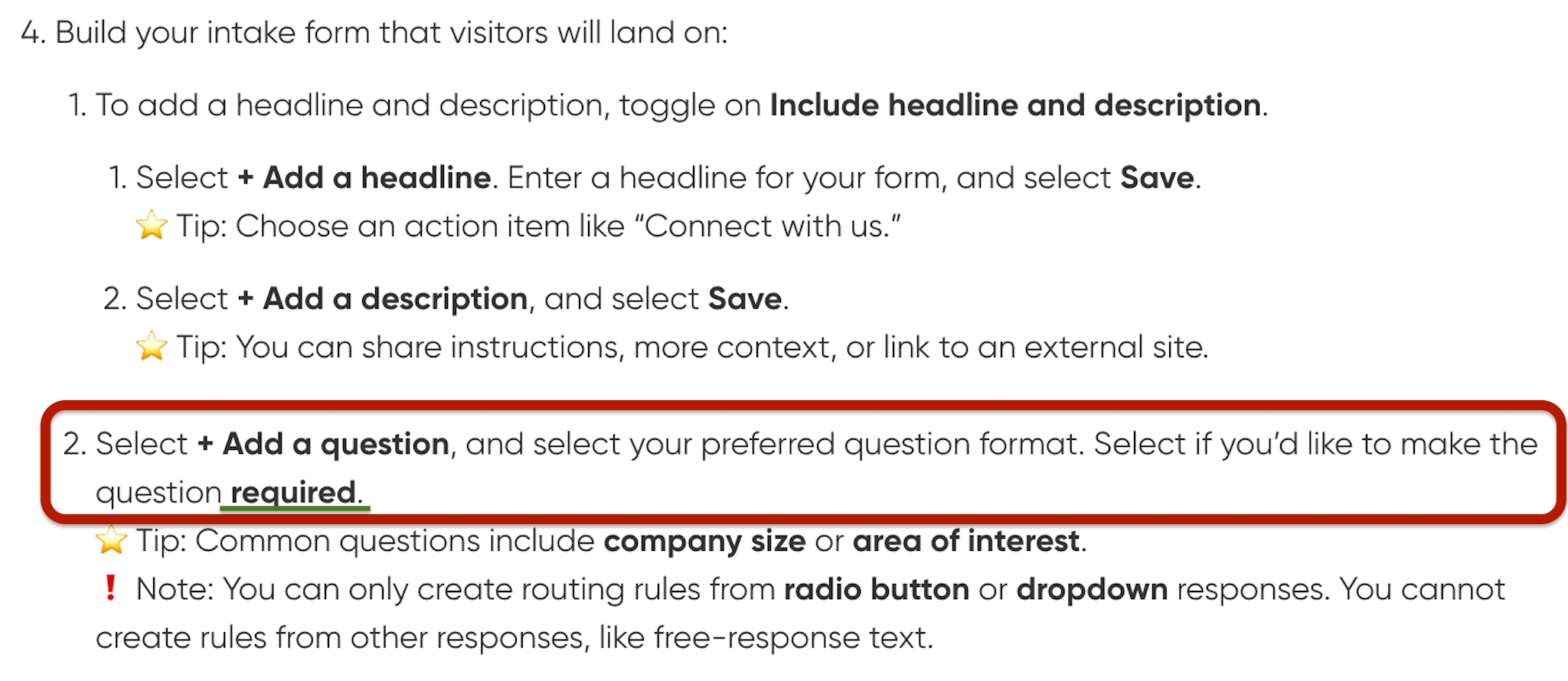
Part 4 of the “How to Set up Routing Forms” section goes over making a question required
An additional way you can ensure that you are getting the info you need for your consultations is to include Invitee Questions On Your Booking Page and make them mandatory. These questions appear on the actual booking page your invitees are routed to from the routing form, and you can make sure the questions must be answered in order to move forward with booking!
There is no way to manually update the form that invitees fill out via your routing form after-the-fact, no. I am sorry! However, you can still fix this problem easily!
Firstly, you can make questions on the routing form itself required.
If you check out our Help Center article about setting up routing forms here, you will see in the “How to Set up Routing Forms” section:
Part 4 of the “How to Set up Routing Forms” section goes over making a question required
An additional way you can ensure that you are getting the info you need for your consultations is to include Invitee Questions On Your Booking Page and make them mandatory. These questions appear on the actual booking page your invitees are routed to from the routing form, and you can make sure the questions must be answered in order to move forward with booking!