
I created a meeting with a customer, but had to update the Zoom link. They ended up showing up at the old link that I replaced. Can you help me understand how to fix this?

Solved
Customer showed up at an old zoom link
Best answer by Sachi
Calendly scheduled events are locked with the settings in place at the time of booking. This means if you updated the Zoom link in an Event Type’s settings this new Zoom link will only be reflected for any newly scheduled events going forward. Any events that were booked before the Zoom link was updated will retain the original meeting link.
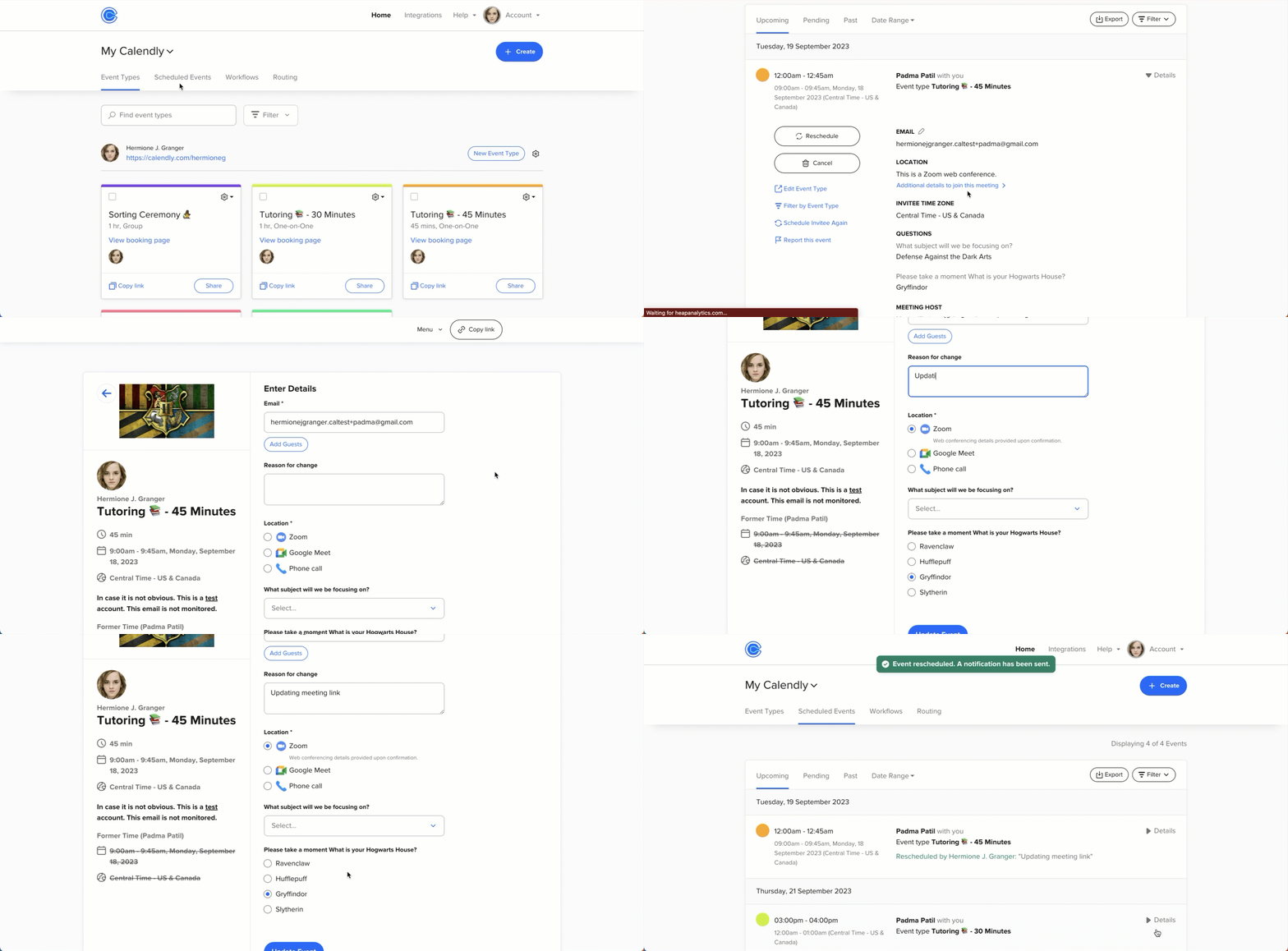
We do fortunately have an easy fix! In order to sync any previously scheduled events, you'll want to visit your Scheduled Events page and "reschedule" any future events for the same time slot they were initially scheduled at. (This will be indicated as "Former Time" in the rescheduling module.) This will rebook the events with your new Zoom link! Note that your invitees will be notified about this "reschedule." However, this is an opportunity to include a note as you're rescheduling, which you could use to let your invitees know that you’ve updated the meeting link, but nothing else about your meeting has changed.
Here is a quick video that walks you through rescheduling:
This topic has been closed for replies.


Sign up
Already have an account? Login
Not a Calendly user yet? Head on over to Calendly.com to get started before logging into the community.
Employee Login Customer LoginLogin to the community
Not a Calendly user yet? Head on over to Calendly.com to get started before logging into the community.
Employee Login Customer LoginEnter your E-mail address. We'll send you an e-mail with instructions to reset your password.