

Community Member
September 10, 2024
Question

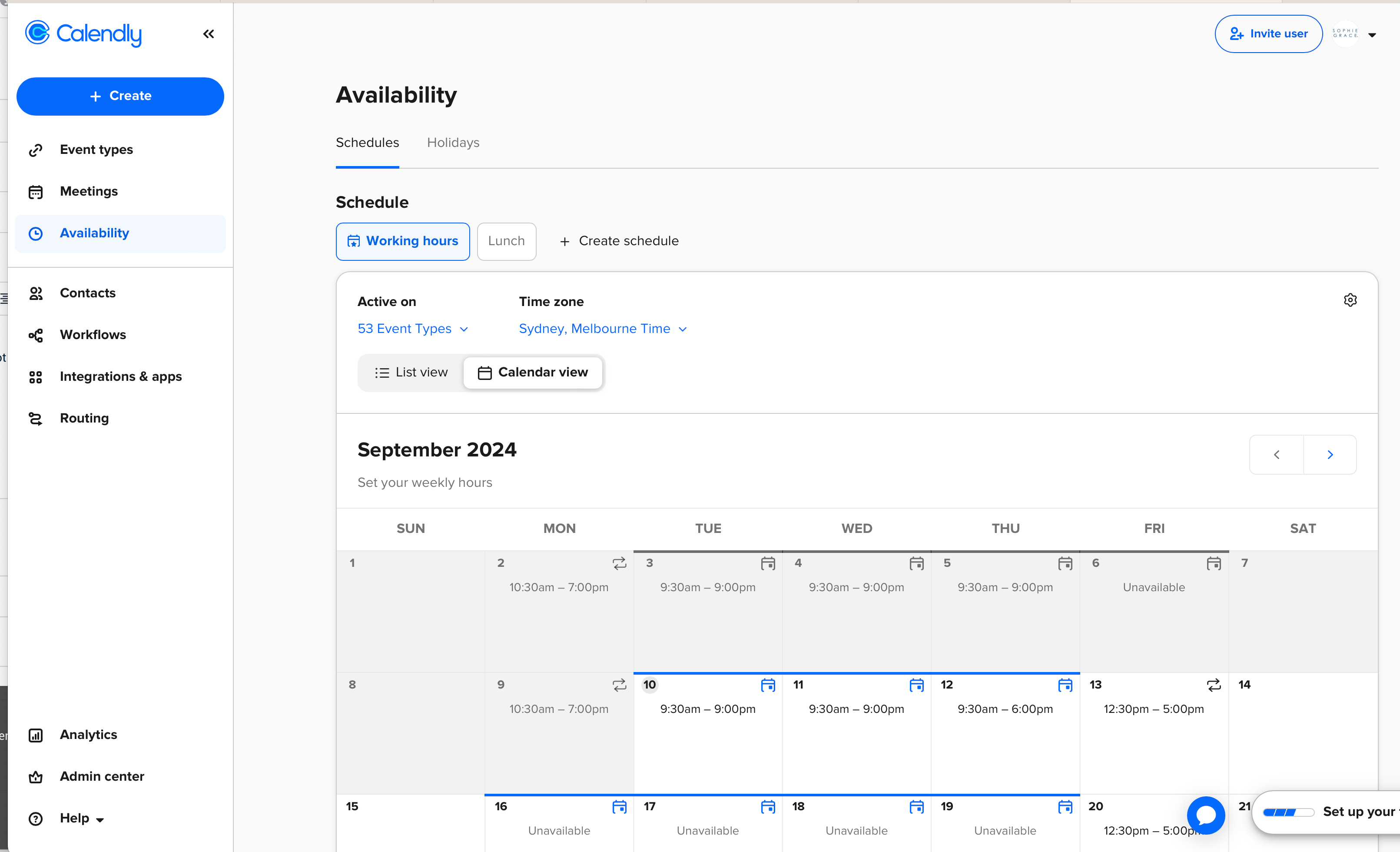
Date-specific overrides in “availability” have been removed.

  • September 10, 2024
  • 18 replies
  • 564 views


Instead you have created very odd functionality which is not at all helpful.

Please roll back so we have the calendar style that we used to be able to see. 


Also in my other account where you have rolled out a new system, my previous date overrides have been completely removed.


There are a lot of instances where I need to make adjustments just to one day.  That doesn’t mean it’s a “holiday” or “time off” and the way you are displaying these is not helpful.
 

This topic has been closed for replies.

18 replies

Sean Marlin
Community Member
September 10, 2024

Hi Sophie64060


We took a look and saw you connected with our Support peers. Hope they were able to share some knowledge that helps. Apologies for any inconvenience our recent updates may have caused you.

New Community Member
September 10, 2024

I have the same concern and issue as Sophie64060. I recently set an entire month of custom availability. I carve out very specific times where I can be available. Not only is the new user interface confusing and doesn’t seem to offer the same flexibility, but like Sophie64060, the carefully curated availability I set is now just completely overridden. 

New Community Member
September 10, 2024

Your online documentation still shows how to add custom availability using the old interface. Rolling out a feature without updating the documentation? Why? https://help.calendly.com/hc/en-us/articles/14074797893143-Calendly-Schedules#01H7TGB3JTNCTQEW6F2N4G6890

New Community Member
September 10, 2024

For future people: The functionality for custom availability has been moved (to a much worse location). See screenshots. Navigate to Event Types, click an Event Type, a side panel appears, in that side panel, if you scroll down, you will find the Custom Availability functionality. The big downside is that if you set Custom Availability, you now have to do it per Event Type. So, they’ve added a lot of unnecessary clicks in this user’s opinion. 


Community Member
September 11, 2024

Thanks Joel - completely agree.  This is a massive stuff-up and backwards step by Calendly.  It’s outrageous and I am very angry.


Sean - your support team could not help because the situation you created is a massive nuisance and a mess.  You should roll back the updates you have made urgently.

New Community Member
September 11, 2024

This location is not really logic and I don't see it in the side panel??

And do we really need to do that now for EACH event? I've 8 different ones….


New Community Member
September 11, 2024

Okay found it, you need to click on EDIT first and than it pops up at the right side. Not logic at all…. 

New Community Member
September 11, 2024

There is no way we can copy it to all events now? 

New Community Member
September 11, 2024

Okay see that they ve put a great explanation about it: 


New Community Member
September 11, 2024

I’m so frustrated with this update, which is not useful at all. I’ve just spent an hour trying to find a solution until I found this conversation topic. My schedule was mostly based on setting custom availabilities on a daily basis since I’m a language teacher. Now I don’t know exactly what to do. I’ll consider migrating to another platform.