Solved

Google Meet Host Name
  • March 12, 2025
  • 4 replies
  • 107 views


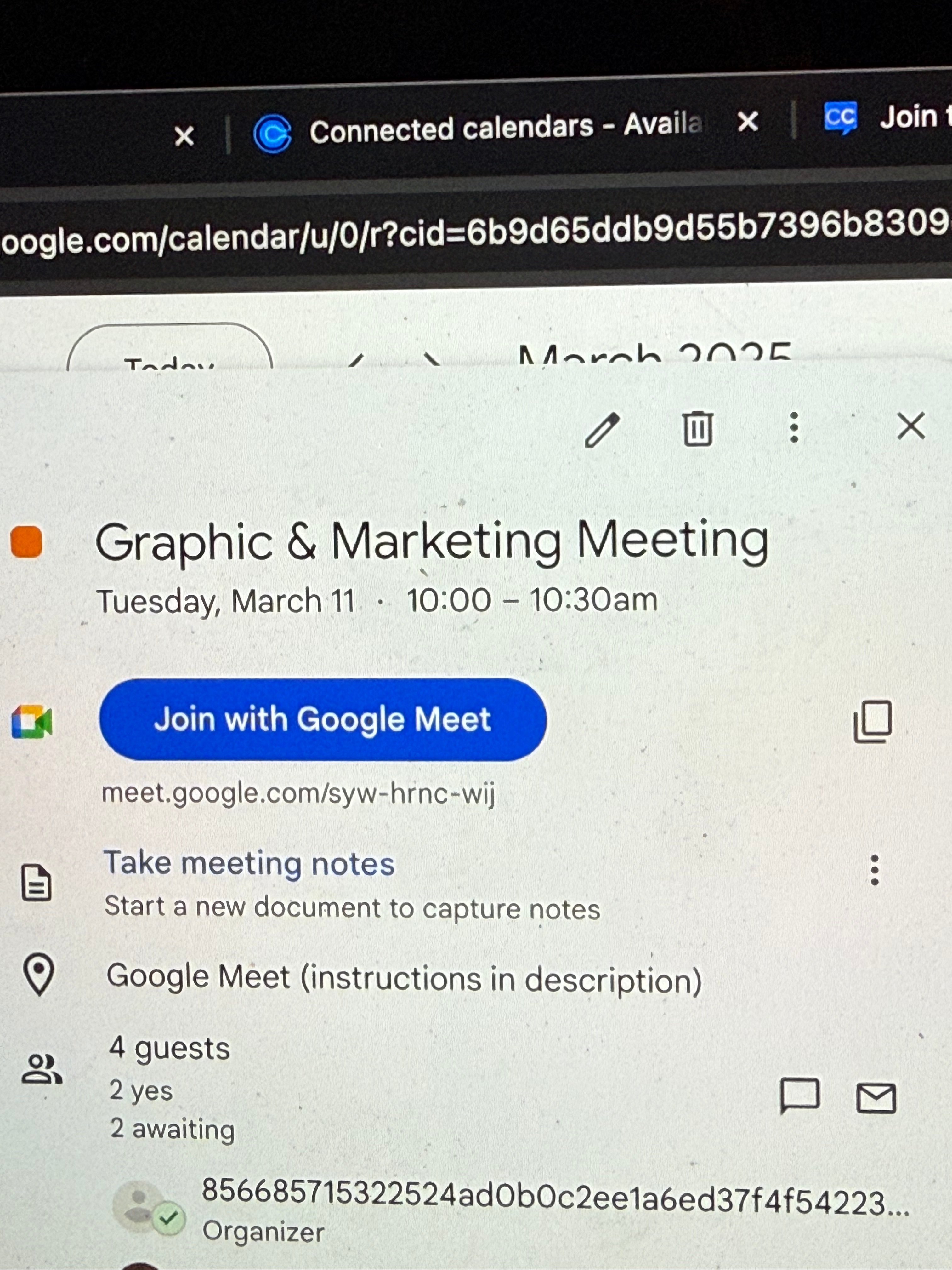
The organizer name is auto generated, instead of showing my name.

I’m using google workspace and a domain.


Is there a way to fix this?

Best answer by David

Thanks for getting back ​@SagieBaram - I did some more digging on this here.

Turns out, our team has investigated this issue and unfortunately found this isn't something Calendly controls. The organizer for a meeting is a parameter that Google sets - it is based off the user who created the event (the user identified by the auth token).

Since the event is on the user's calendar, we know it's properly connected to the user, however it seems to be displaying the internal id instead of the email - This is a google account-side display issue.

In this case, I’d recommend reaching out to Google for support on this matter, they’d be able to dig into this further.

This topic has been closed for replies.

4 replies

David
Community Manager
  • Community Manager
  • March 12, 2025

Hi ​@SagieBaram - Thanks for reaching out!

In this case, you can adjust the title of your booked meetings by following the steps below! 

Open your event settings, then select Notifications and Workflows
Select the three dots next to Calendar Invitation then select Edit
Here, you can make changes to how the event is displayed, and the content within it!


Let me know if you have any questions on this!


  • Author
  • Community Member
  • March 12, 2025

It seems like that does not fix the issue. I tested it and the host name is still not displayed correctly.


David
Community Manager
  • Community Manager
  • Answer
  • March 12, 2025

Thanks for getting back ​@SagieBaram - I did some more digging on this here.

Turns out, our team has investigated this issue and unfortunately found this isn't something Calendly controls. The organizer for a meeting is a parameter that Google sets - it is based off the user who created the event (the user identified by the auth token).

Since the event is on the user's calendar, we know it's properly connected to the user, however it seems to be displaying the internal id instead of the email - This is a google account-side display issue.

In this case, I’d recommend reaching out to Google for support on this matter, they’d be able to dig into this further.


  • Author
  • Community Member
  • March 12, 2025

Thank you, spent 3 hours in chat and phone just to get to a manager but it worked out. The issue was I selected a group calendar to funnel the meetings to through calendly; You have to select the main email otherwise this display ID will show.


Thanks for helping out.