Community Member
May 31, 2024
Solved

How to make the inline widget background transparent?

  • May 31, 2024
  • 2 replies
  • 1225 views

 Hi,

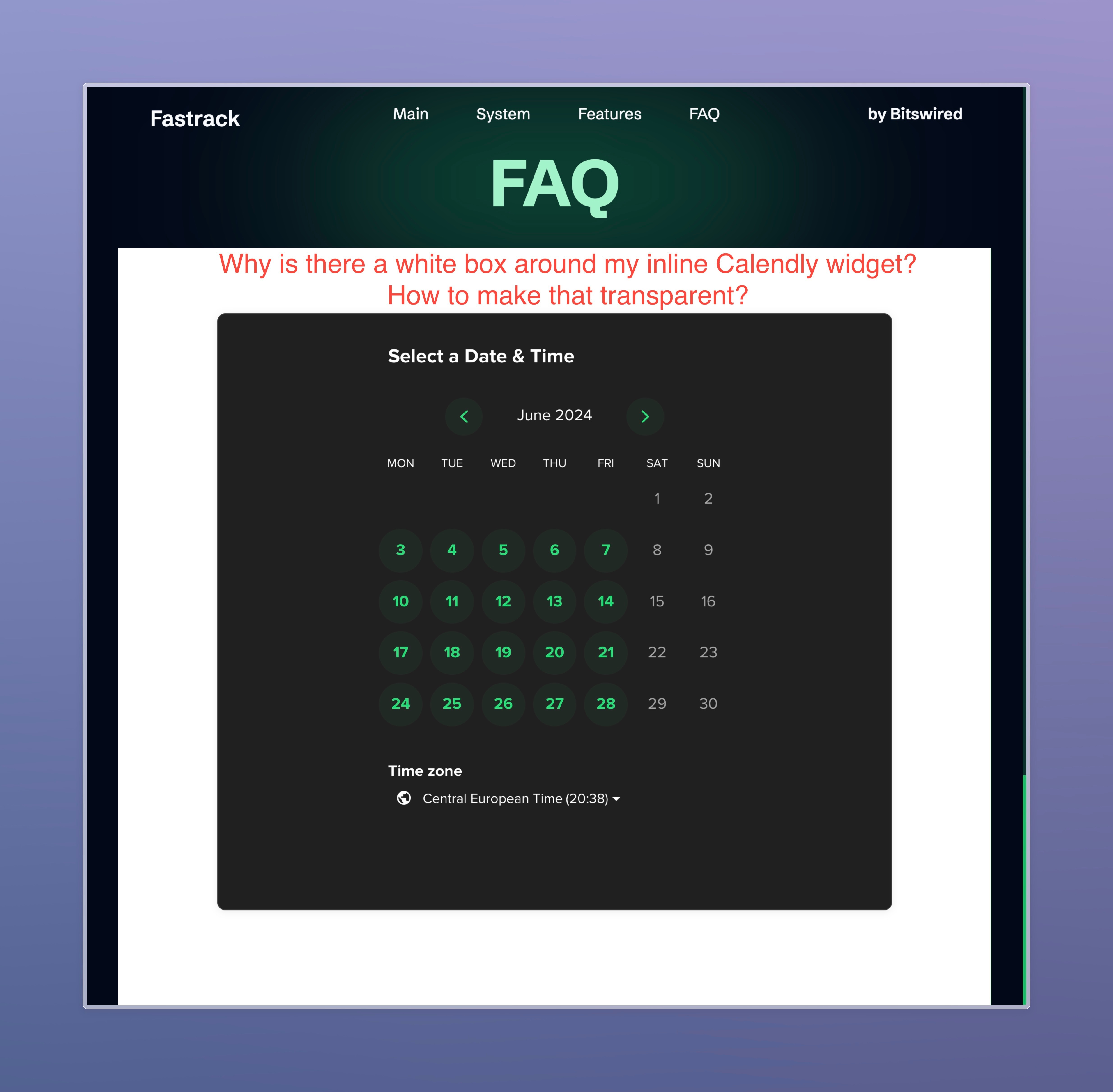
I have issues integrating the Calendly inline widget on my website.
The iframe has a white background messing with my website style.
Is it possible to get rid of the white color and make it transparent?

It seems possible looking at other website integrating the Calendly widgets like this demo https://www.calendly-embed.com/embed-options#inline.

But I can’t figure out how to do it.

Thanks for your help!
 

This topic has been closed for replies.
Best answer by tcampb

@jimzer - 

Are you able to provide a link to your site? This will help us look into the issue further. 

If not, you might be able to resolve the issue using the color scheme css property as described in this thread.

2 replies

tcampb
Employee
tcampbAnswer
Employee
June 1, 2024

@jimzer - 

Are you able to provide a link to your site? This will help us look into the issue further. 

If not, you might be able to resolve the issue using the color scheme css property as described in this thread.

jimzerAuthor
Community Member
June 3, 2024

The color scheme trick worked!
Thanks!