
Question
Phone Call event not enforcing required phone number
Hi everyone,
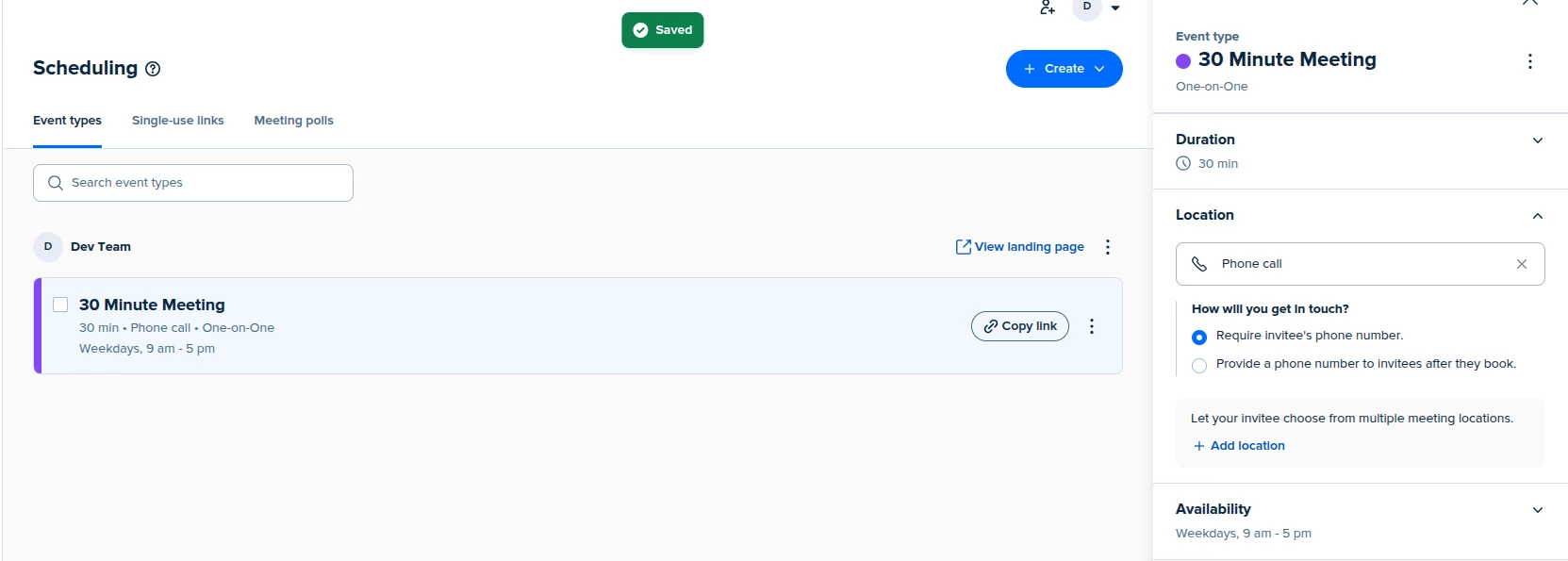
I’m facing an issue with a Phone Call event type.
Here’s my setup:
-
Event Type: One-on-One (30 minutes)
-
Location: Phone Call
-
Under “How will you get in touch?” I selected “Require invitee’s phone number”
-
No custom phone question added under Invitee Questions
-
Tested in Incognito mode
However, invitees are still able to book the meeting without entering a phone number.
Additional details:
-
The event shows a “Select location” dropdown
-
Only Phone Call appears selected in settings
-
The required phone option is enabled (see screenshot)
Has anyone experienced this? Is there a hidden setting that overrides the phone requirement?