


Round Robin events showing unavailable time slots as available (Google Calendar sync issue)
Hi everyone,
We’ve been facing a major scheduling issue with Calendly for the past week. Although we opened a support ticket on Jan 13, 2026 and Calendly has acknowledged that other users are experiencing the same issue, we still haven’t received any updates or an ETA for a fix.
I’m posting here to see if anyone else is experiencing a similar issue, particularly with Round Robin events.
Issue Description (Bug) Calendly is incorrectly displaying time slots as available even though they are already:
- Booked in Calendly, or
- Blocked on connected Google Calendars
This issue affects all of our Round Robin event types.
What happens:
- Visitors are shown time slots that should not be available.
- Only after they fill in all their details and click “Book”, Calendly then returns the error:
“Sorry, that time is no longer available. Please select a different time to book this event.”
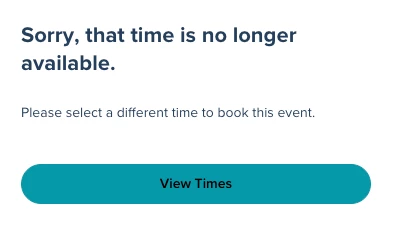
- This creates a poor user experience and causes confusion for our customers.
Additional Observations
- If the page is refreshed multiple times, the availability sometimes appears correct, and other times the false slots reappear.
- It feels like Calendly is rendering availability before fully checking:
- Existing bookings in Calendly
- Google Calendar blockers across all team members
What We’ve Already Checked
- All team members’ Google Calendar connections are active and properly synced
- We tested individual (non–Round Robin) event types, and those appear to work correctly
- The issue only occurs with Round Robin events involving multiple team members
Because of this, we strongly suspect the problem is isolated to Round Robin availability resolution when more than one host is involved.
Has anyone else run into this recently?
If so, did you find a workaround or receive any updates from Calendly support?
Thanks in advance — any insight would be greatly appreciated