Solved

the search feature is not working on this page event type page unless a user is selected

  • January 16, 2025
  • 1 reply
  • 52 views

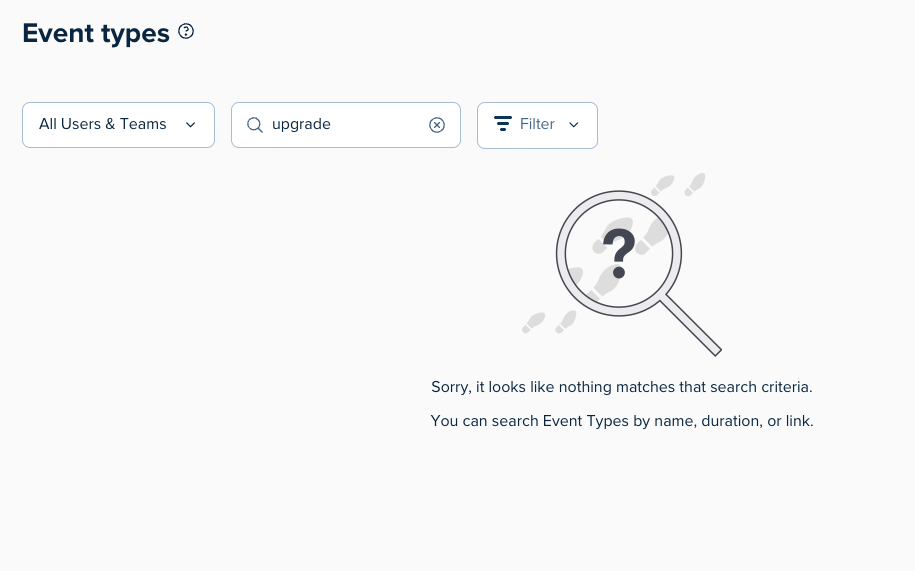
The search feature is not working on this page event type page unless a user is selected. I’m trying to search for an event type when All Users & Teams is selected: 
 

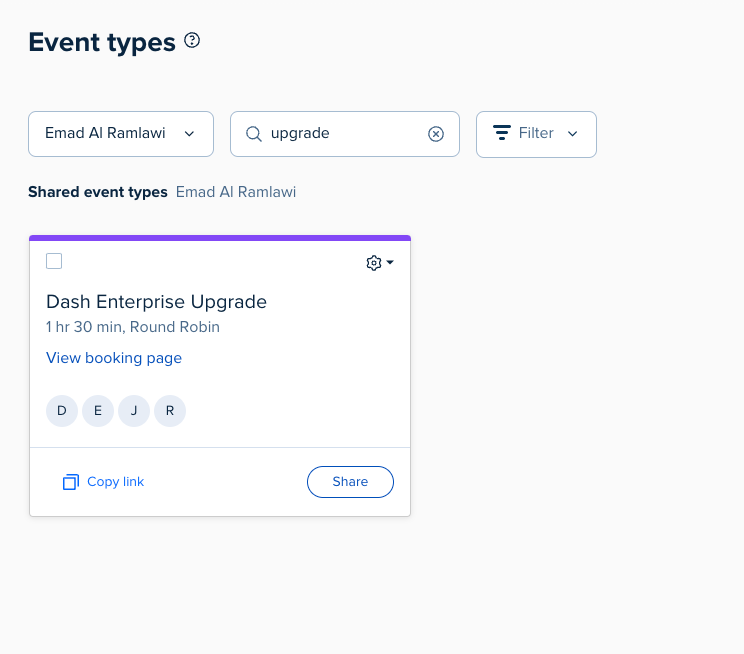
the result is only showing up if a specific user is selected: 
 

Best answer by David

Hey ​@Chelsea333! Thanks for reaching out!

Taking a look at this, it looks like this is a Shared Event Type - To clarify, shared events won’t appear when you have All Users & Teams selected, only when you have a specific user select that is assigned to that event.

If you’d like these types of events to appear when you search under all users and teams, I recommend using a Team Page, which would allow those events to appear as normal. You can read more about team pages here: https://help.calendly.com/hc/en-us/articles/16831517906711-How-to-set-up-a-team-page

Let me know if you have any questions on this!

This topic has been closed for replies.

1 reply

David
Community Manager
  • Community Manager
  • Answer
  • January 16, 2025

Hey ​@Chelsea333! Thanks for reaching out!

Taking a look at this, it looks like this is a Shared Event Type - To clarify, shared events won’t appear when you have All Users & Teams selected, only when you have a specific user select that is assigned to that event.

If you’d like these types of events to appear when you search under all users and teams, I recommend using a Team Page, which would allow those events to appear as normal. You can read more about team pages here: https://help.calendly.com/hc/en-us/articles/16831517906711-How-to-set-up-a-team-page

Let me know if you have any questions on this!