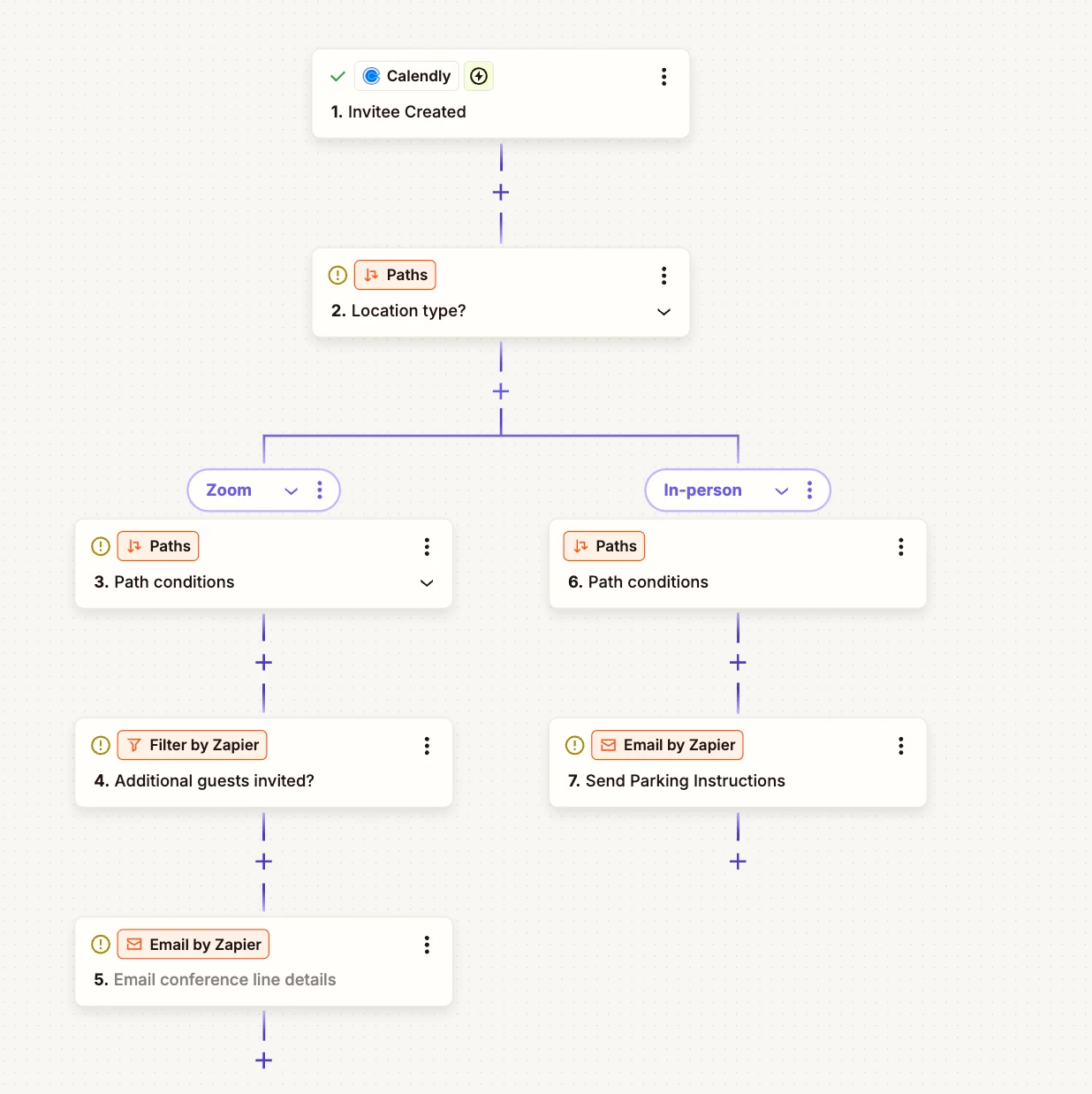
Workflows - logic for meeting location
Good afternoon,
From what I have been reading, it doesn’t look like there is any way to use logic, or if/then, with Workflows. I’ve considered whether Zapier might help, but I don’t think it will. So, I’m posting here to see if there is a potential solution I haven’t thought of, or a better way to achieve the below.
When a client schedules a meeting, they set a location: in person at my office, on Zoom, telephone. What I wanted to do was, if they set a meeting in person, I wanted a custom email to go to them with parking instructions, and instructions on how to get from the parking lot to my office (it isn’t intuitive). I see no need for this information to go to someone who books Zoom/telephone. So, that’s use case #1.
Separately, if a client schedules a telephone meeting, AND invites another person, I was hoping to give my conference line details, so that the parties can all dial in to one number, instead of me having to gather their phone numbers are do a manual conference.
I can achieve both of the above if I have a meeting type of “in person meeting” or “conference call”, but I was hoping to not have to create different meeting types. I just want to give the client one booking link, and depending on the options they choose, they end up getting different information that is needed for their meeting.
Any ideas on how I could structure this? Thank you in advance!
Zach