Question

Hide cookie banner in Embed, but still shows cookie banner..

  • July 29, 2025
  • 2 replies
  • 91 views

Hey! I have this site where I want to embed a Calendy form. Sadly, once I embed the Calendy in my site with the cookie banner hidden, it still shows the cookie banner.
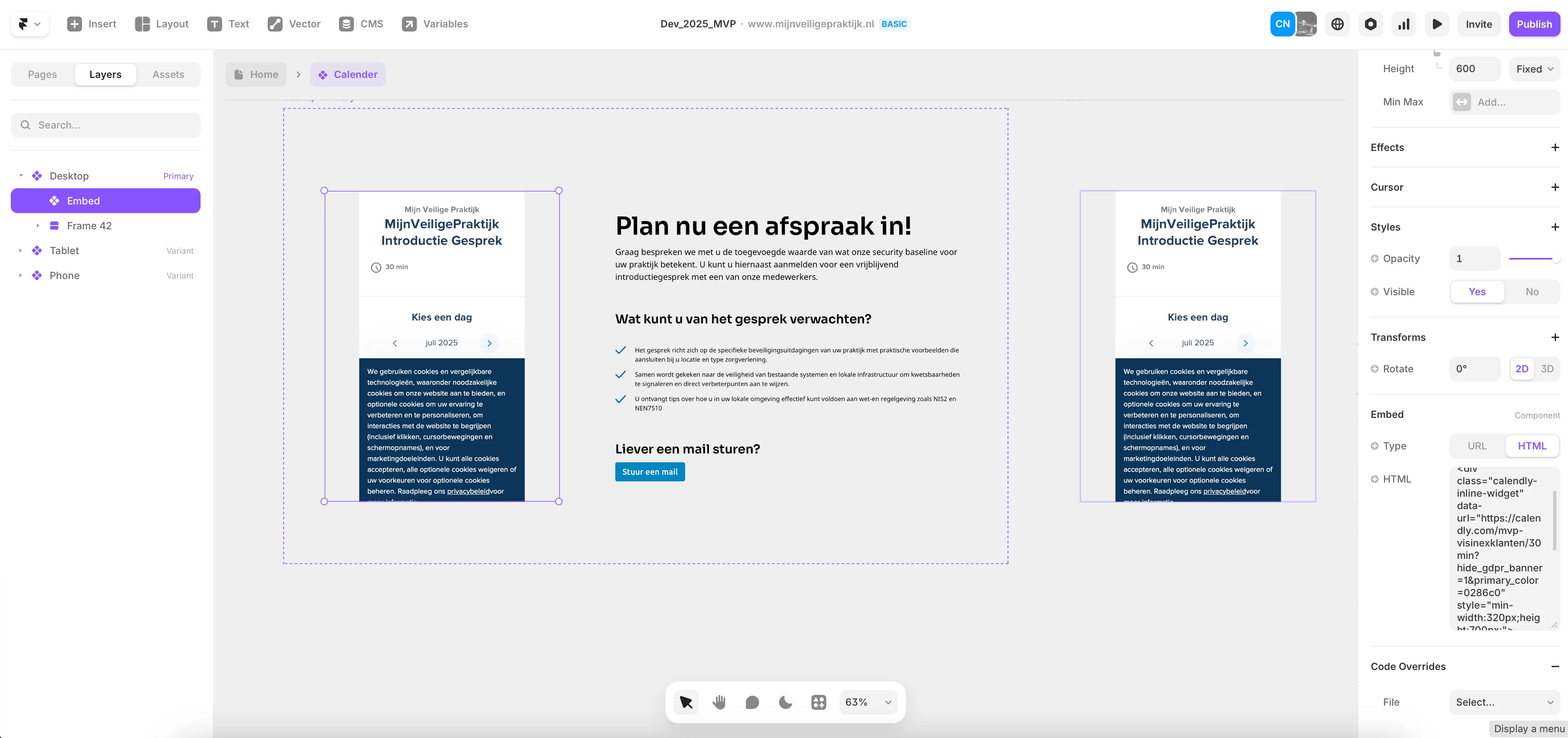


As you can see in the image, I have embedded the Calendy. But on the left it says “?hide_hdpr_banner=1” (this is directly from the “hide cookie banner” function when embedding my Calendy)


What to do?

2 replies

  • Employee
  • August 1, 2025

Hi there!

Javay hre - from Calendly’s Developer Support team. Thanks for reaching out! It looks like the parameter in your post mentions ?hide_hdpr_banner=1, but I can see in your screenshot that you've correctly used ?hide_gdpr_banner=1 in the actual embed code, which should be working to hide the cookie banner.

If the banner is still showing, here are a few things to check:

  1. Clear your cache – Sometimes cached versions of the page can prevent the new settings from taking effect. Try clearing your browser cache or testing in an incognito window.

  2. Double-check the embed – Ensure the embed code is exactly as shown, with the correct parameter at the end of the URL.

  3. Site Builders – If you're using a website builder, make sure it isn't modifying the embed code or URL when it's added to the page.

If the issue still persists after checking these steps, feel free to send us your embed code at support@calendly.com, and we'd be happy to help troubleshoot further.

I hope this helps!


  • New Community Member
  • December 10, 2025

Hi there!

Javay hre - from Calendly’s Developer Support team. Thanks for reaching out! It looks like the parameter in your post mentions ?hide_hdpr_banner=1, but I can see in your screenshot that you've correctly used ?hide_gdpr_banner=1 in the actual embed code, which should be working to hide the cookie banner.

If the banner is still showing, here are a few things to check:

  1. Clear your cache – Sometimes cached versions of the page can prevent the new settings from taking effect. Try clearing your browser cache or testing in an incognito window.

  2. Double-check the embed – Ensure the embed code is exactly as shown, with the correct parameter at the end of the URL.

  3. Site Builders – If you're using a website builder, make sure it isn't modifying the embed code or URL when it's added to the page.

If the issue still persists after checking these steps, feel free to send us your embed code at [removed by moderator] , and we'd be happy to help troubleshoot further.

I hope this helps!

Hi Javayy, I had the same experience as the OP with a calendly embded showing the cookie setting popup on a Framer site even with `?hide_hdpr_banner=1`

The solution I found was to include `?embed_domain=1`` in the calendly link URL.