Question

Booked Meetings Not Showing in Calendly's Meeting Page

  • June 16, 2026
  • 3 replies
  • 3 views

My team has a Round Robin event hosted through my account that is shared with them. We use a single booking page to book individuals. Devs are welcome to check my account for the booking link.

  1. Our workflows work properly - upon a booking, the selected team member (and myself, as admin) get a notification that a meeting has been scheduled.
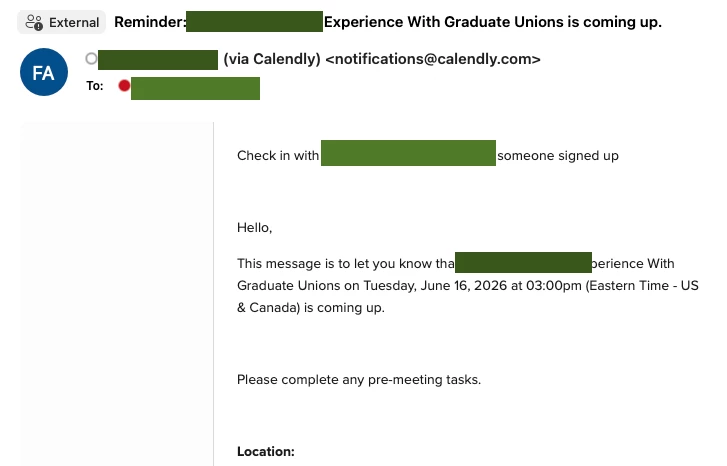
     

  2. The meeting shows up in the team member’s Outlook Calendar immediately.
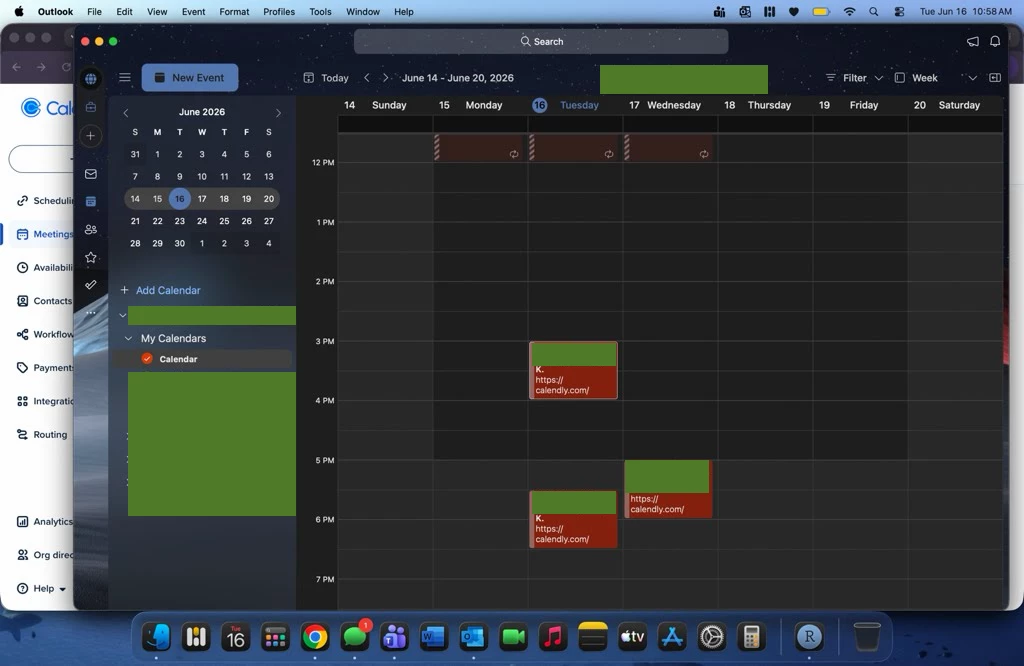
     

  3. The meeting does not show up in Calendly’s Meetings page. This is both for the team member and myself as team lead.
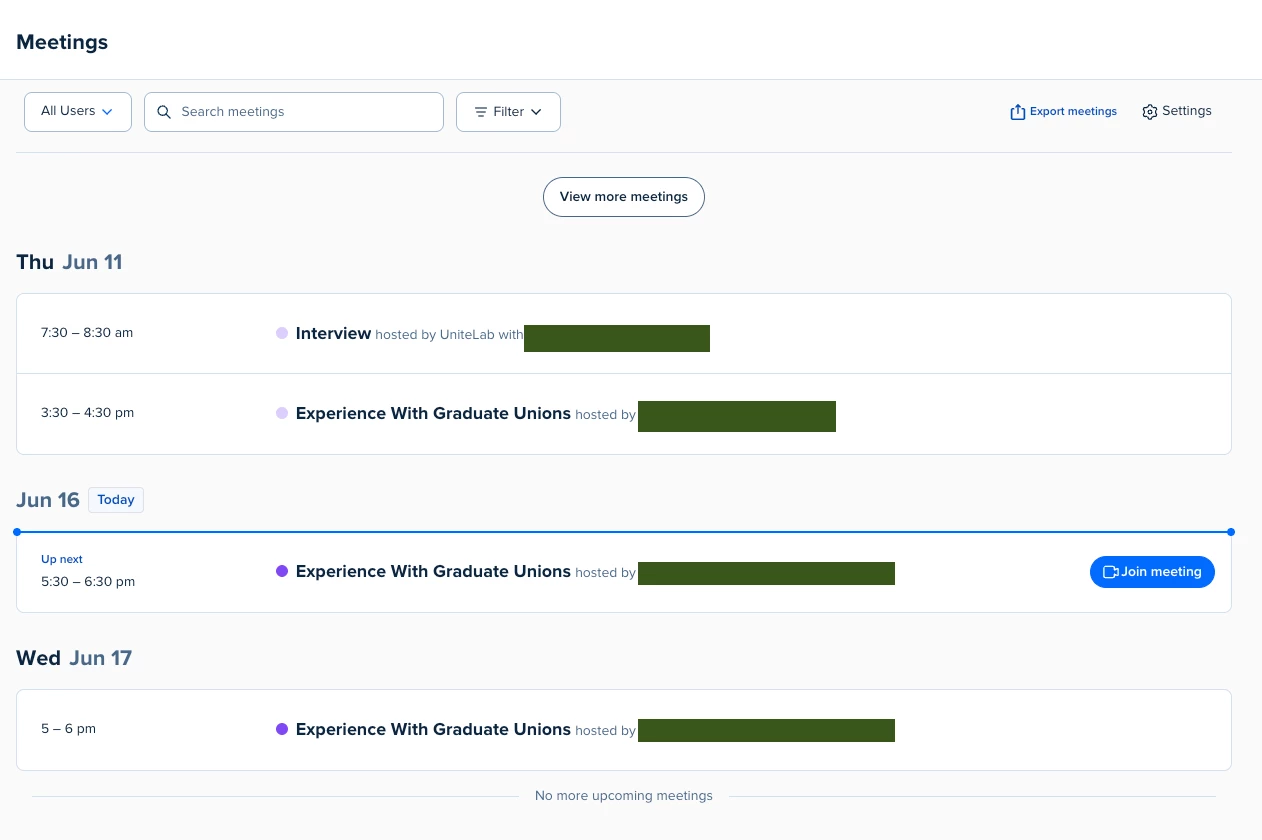


Please address this bug. The two linked times where others have experienced this, it really doesn't seem like a user-side error, with even one time the dev confirms a bug was found and addressed.


3 replies

David
Community Manager
  • Community Manager
  • June 16, 2026

Hi ​@UniteLab - Thanks for bringing this to our attention. Our team is aware of this issue and is looking into it now. We’ll let you know as soon as there is any update. 


  • Author
  • Community Member
  • June 16, 2026

Thank you! We’re a bit uncertain whether the round-robin scheduling is working, as only one person seems to be assigned any slots, but this one was a big issue as well. A lot of them have appeared now, but I’m not 100% sure if that’s all of them, you know?


David
Community Manager
  • Community Manager
  • June 16, 2026

Hey! Totally understand. I talked with my team who said you should be able to export your meetings to a CSV from that page to cross-reference the meetings that are showing up. For this particular issue, the meetings still appear in the export, but not the meetings page.

I did also want to follow up here to let you know that our team has released a fix for this issue. You may need to log out and log back in to see it update.

If you notice any other issues, I suggest reaching out to support@calendly.com or by using out chatbot.

Let me know if you have any questions!