Question

Custom Dates and time not shows

  • January 8, 2026
  • 2 replies
  • 48 views

Hi, I don’t know if anyone has every encountered this before.

I’ve created bespoke dates with custom times
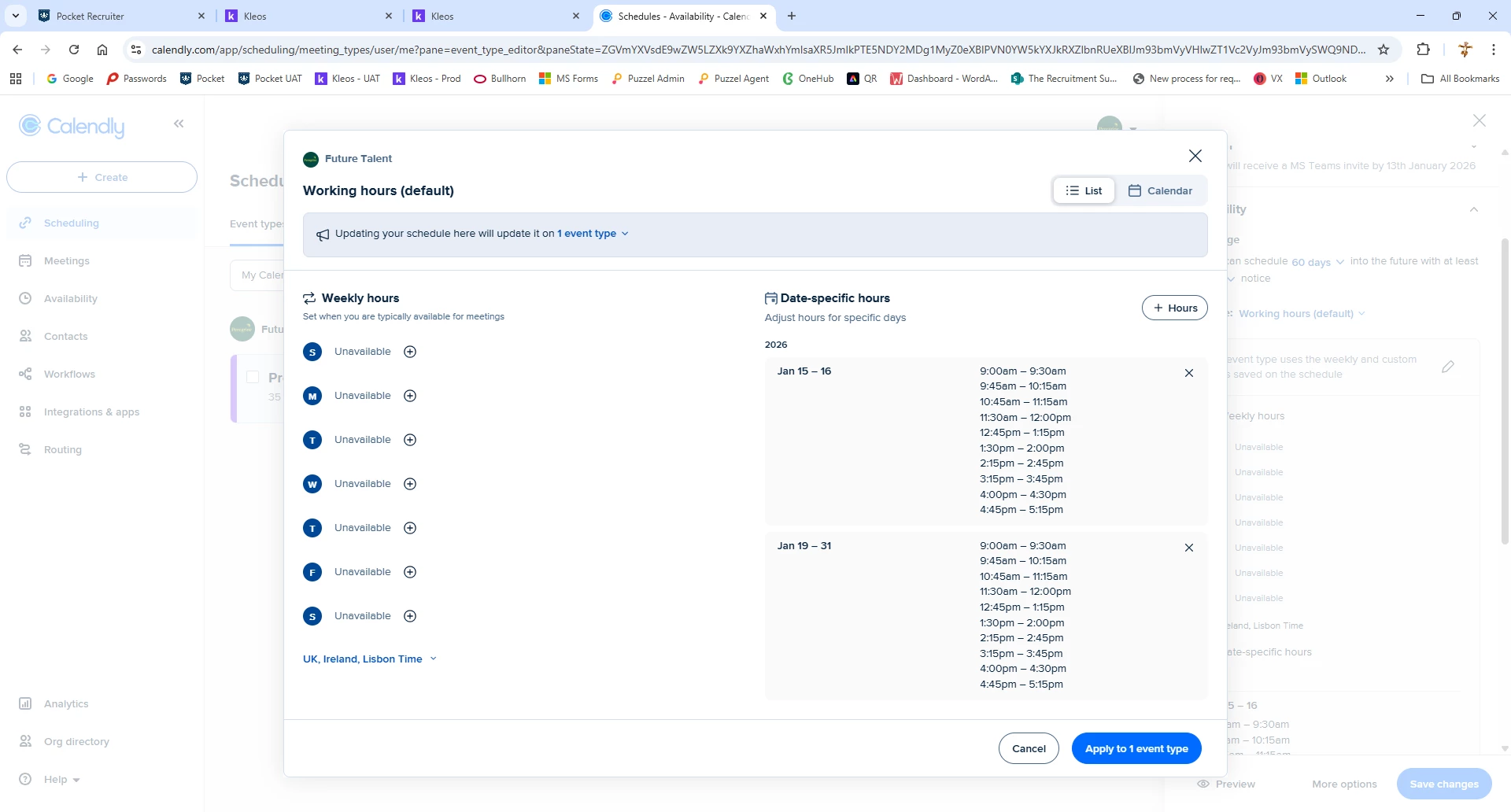
But when I preview via the landing page no dates show up
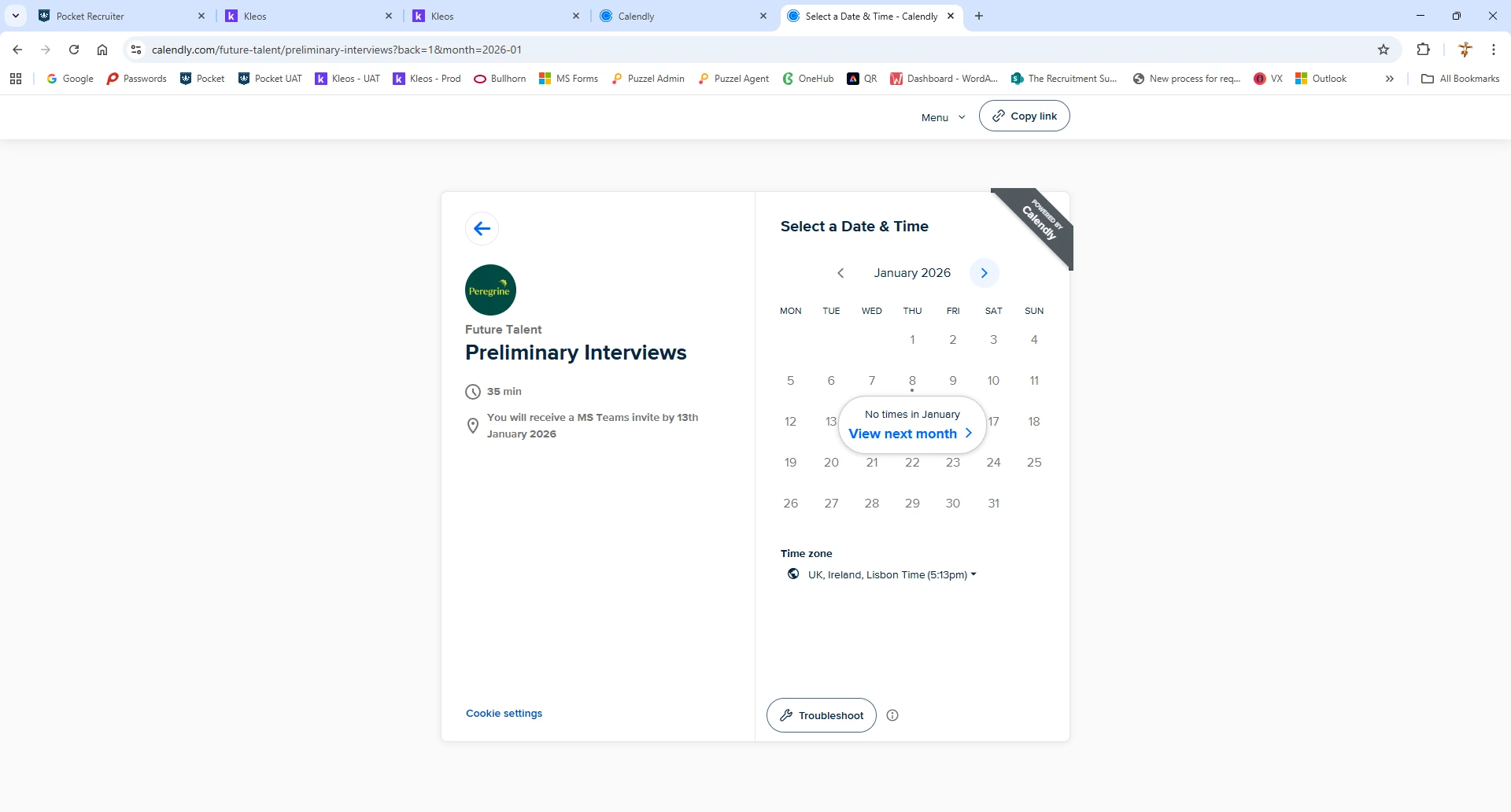
It’s the same setup I’ve used previously, I’m completely stuck.

Any points would be very appreciated

Bernie

2 replies

David
Community Manager
  • Community Manager
  • January 8, 2026

Hi ​@Future04125 - Thanks for reaching out!

The best way to see why certain times aren’t appearing is through the Troubleshooting Tool. You can read more on how to use this here: https://help.calendly.com/hc/en-us/articles/223145627-How-to-troubleshoot-unavailable-times-that-should-be-available#h_01J5ECSP8D62EHCKFFQXF9N12Y

This will allow you to see each slot, and why it’s not available. Let me know if you have any questions!


  • New Community Member
  • January 12, 2026

I ran into a similar issue when I first started using Calendly. I realized I wasn’t clicking all the way through the “apply” and/or “save” screens. I would hit the confirmation button on whatever current screen I made the changes, and assume that action saved my work. It did not. 

Now, I make sure to over-click SAVE (and then...SAVE...SAVE again). I specifically watch for the “changes saved” message (or whatever it says) before I close out. And then I immediately go back to the main event page to double-check my changes. This seems to have remedied the user error for me. 

As great as Calendly is, it’s not as intuitive as it could be. Hope this helps.