Question

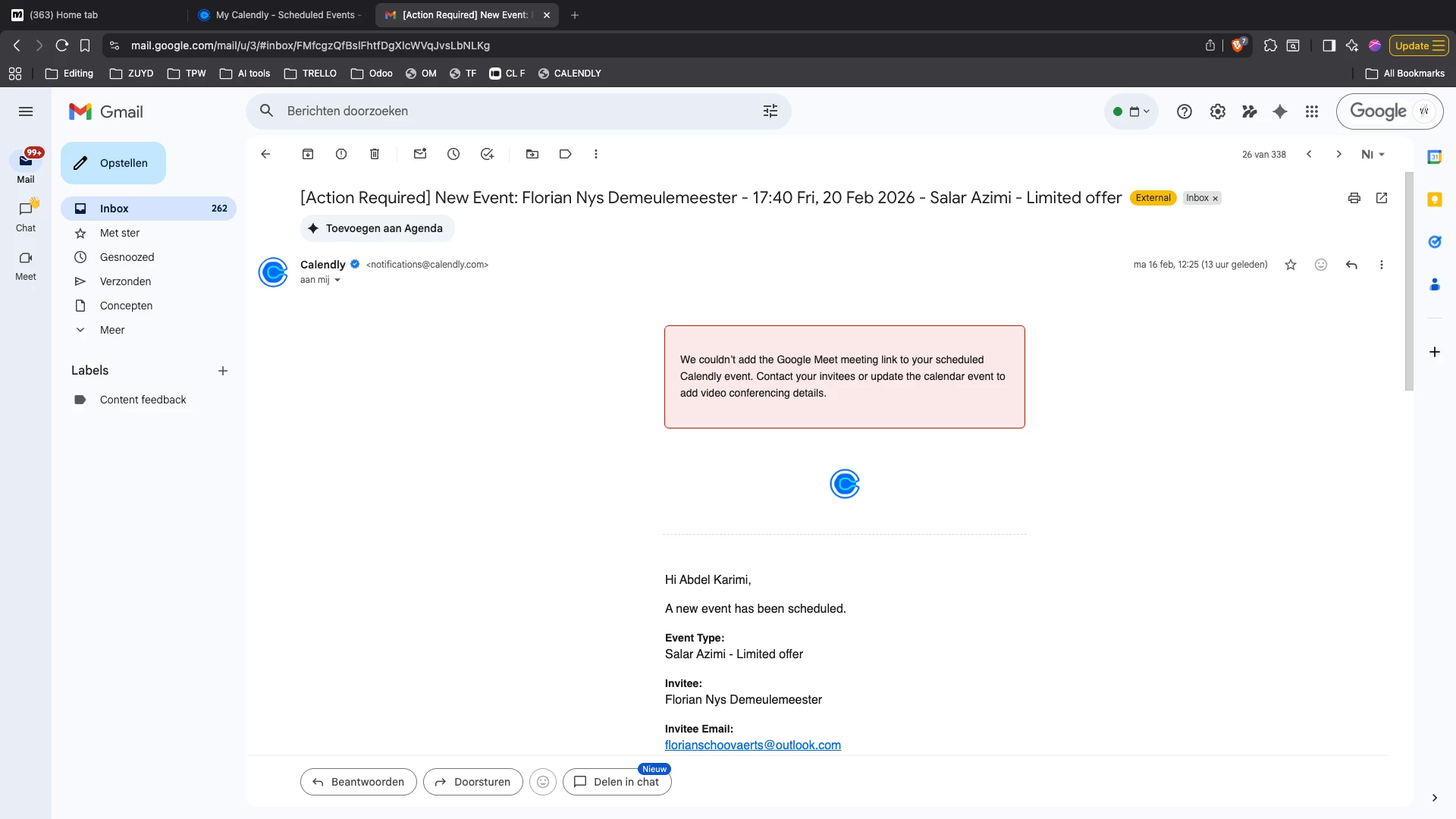
Error code - no sync between google and calendly

  • February 17, 2026
  • 5 replies
  • 92 views

Hi guys, 

I keep getting this error message, when this shows the meeting doensnt show in my google calendar. What can I do to solve this? 

Thank you in advance! 
 

This topic has been closed for replies.

5 replies

David
Community Manager
  • Community Manager
  • February 17, 2026

Hi ​@Abdel44143 - Thanks for reaching out.

The first thing I would try here is disconnecting and reconnecting your Google Meet Integration here: https://calendly.com/integrations/google_meet/edit

Once its reconnected, you can try rescheduling that event for the same time to see if it includes the location.

Is this the only event its happened with? Or is there more? Is this still ongoing? Let me know!


  • Author
  • Community Member
  • February 17, 2026

Hi David, 

This keeps happening, I have about 21 meetings tomorrow that have this issue. I have already disconnected and reconnected the calendar. 

What else could it be


  • Author
  • Community Member
  • February 18, 2026

I also noticed that they don’t show connected in the ‘Manage’ overi

these ar all the meetings that have not been scheduled right, I’ve been losing hours on putting this in manually. If this continues I will need to switch applications. 


David
Community Manager
  • Community Manager
  • February 18, 2026

In this case, it looks like everything is connected correctly. I’d recommend chatting in with our support team so they can take a look at whats going on in the backend - THey’ll be able to assist further from there!

You can either email support@calendly.com or chat in through your account (Which is much faster).


  • New Community Member
  • March 3, 2026

Sync issues between Google Calendar and Calendly can be really frustrating, especially when busy times aren’t reflected correctly on your booking page. Often reconnecting the calendar or checking the “check for conflicts” settings can help, and there are other community threads where users share similar fixes and workarounds. It’s worth looking at how others are handling Google sync problems, as sometimes the solution is in the small connection settings or permissions. Hopefully you’ll find a fix that works here’s another thread that might offer extra tips:https://community.calendly.com/read more/how-do-i-40/google-sync-issues-4055