Community Member
September 4, 2026
Question

Event remains limited to 60 days even after changing date range

I’m on the Calendly Free plan. My one-on-one event was previously limited to 60 days.

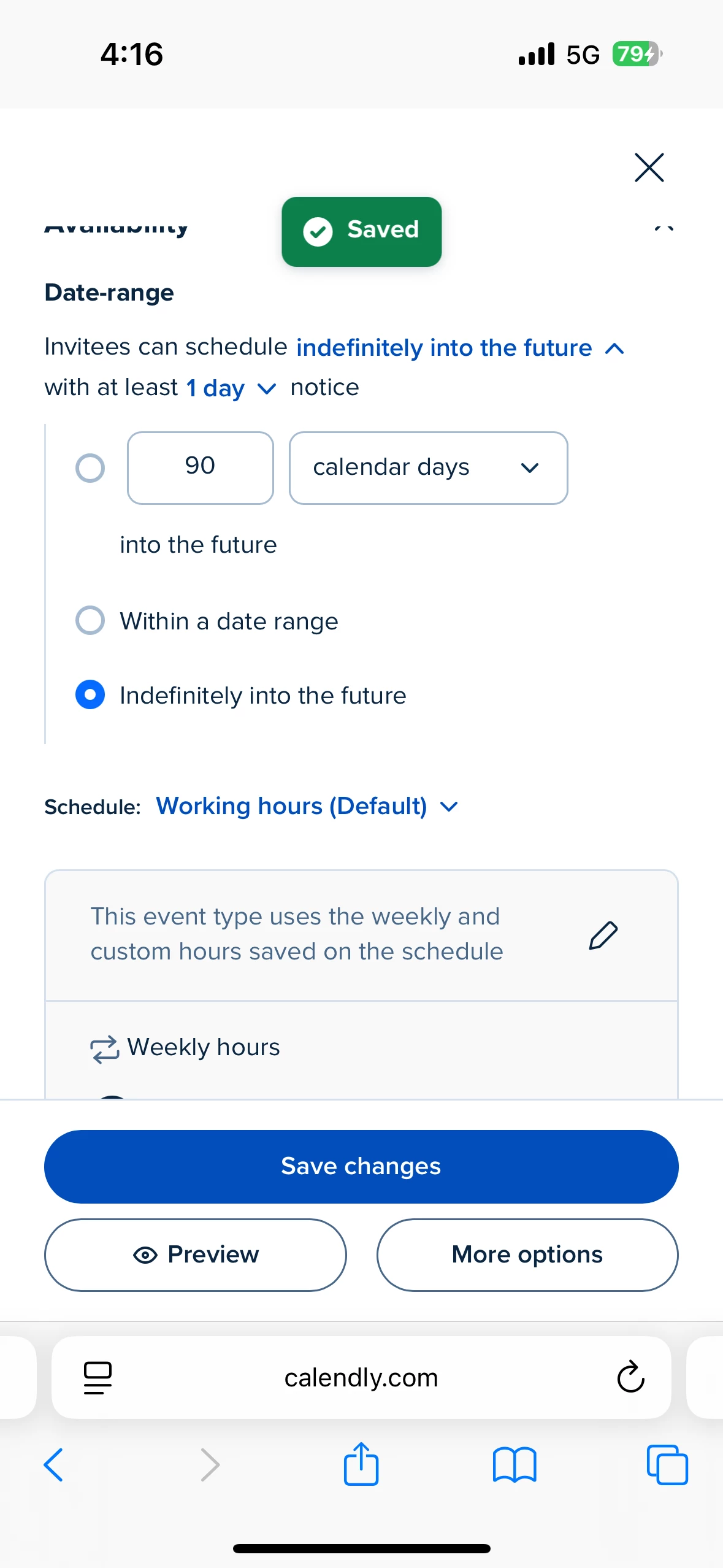
I changed the event’s Availability → Date range to 90 days and saved it, but the public booking page still stopped exactly where the old 60-day window ended.

I then changed the setting to “Indefinitely into the future” and Calendly confirmed that it was saved. The public booking page still has the same cutoff.

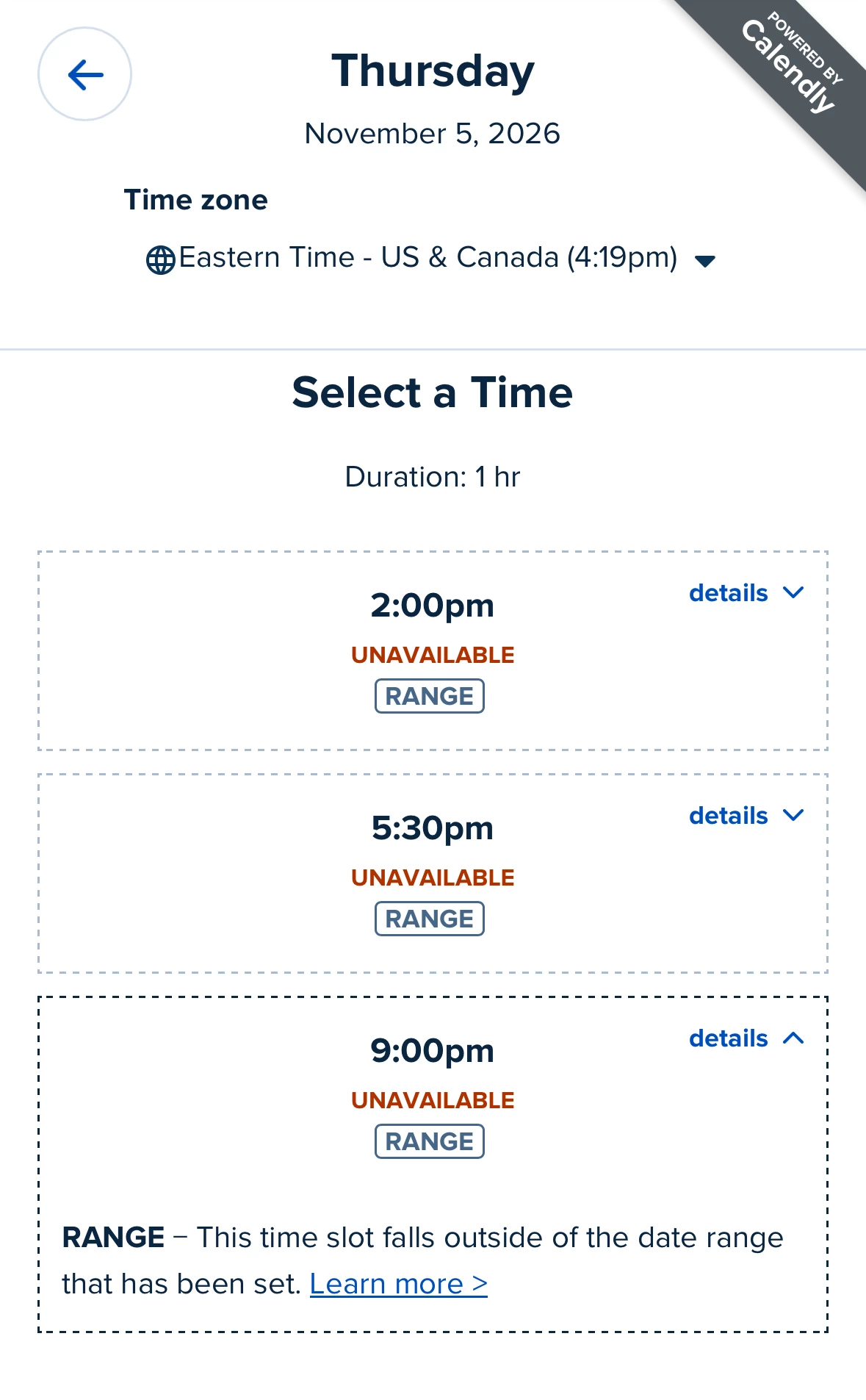
I used Calendly’s Troubleshoot Availability tool on a date beyond the cutoff (November 9, 2026), and it reports RANGE: “This time slot falls outside of the date range that has been set.”

Is there another date-range setting affecting this event, or is the old 60-day range stuck on the event type?


This topic has been closed for replies.

3 replies

David
Community Manager
Community Manager
September 8, 2026

Hey ​@StephanieB - Thanks for reaching out!

This is definitely interesting, that is the only thing that would effect the date range for the event.

Just to be sure, do you have more than one event in your account? Ive ran into it before where I changed settings on an old event under a similar name.

If we’re making changes to the correct event, I’d also try clearing the browsers cache and cookies to see if that helps it!

In a pinch, you can also send along screenshots of the events you’re working with if you need an extra pair of eyes. Just let me know!

Community Member
September 11, 2026

Hi David, thanks for getting back to me!

Yes, I do have more than one event type in my account. I’ve attached a screenshot showing what I currently see.

I’m simply trying to allow students to book new lessons 90 days in advance instead of 60 days.

I changed the Availability → Date range setting to 90 days and saved it, but the public booking page still stops at the same 60-day cutoff. I also tried changing it to “indefinitely into the future” and saved that, but the booking page still had exactly the same cutoff.

I’ve tested the booking page myself as an invitee and see the same thing my students are seeing.

I’ve attached a screenshot of my event types. Is this what you were asking to see when you mentioned screenshots?

If you need to see a specific settings screen as well, please let me know which one and I’d be happy to post a screenshot.

Thanks for your help!


David
Community Manager
Community Manager
September 14, 2026

Hey ​@StephanieB - Thanks for sending this over!

I had support take a look into your account to see whats going on here.

In your screenshot, you have one active event (New Meeting) and one Inactive event (Lesson Availability)

Right now, it looks like the date range Lesson Availability is configured for Indefinitley into the future. However, the active New Meeting event is still configured for 60 Days.

If you’d like to use the Lesson Availability event, I’d recommend turning that event on, and testing it. But if you’d like to use the New Meeting moving forward, you just need to update the date range in that event instead!

Let me know if this helps!