Inline Embed Background Color Suddenly Changing Text to Dark Navy (Was White Before)
Hi everyone,
I’m having an issue with the Calendly Inline Embed on my website. I set a custom background color using the options from the Calendly documentation, and originally all the text including the date picker text displayed in white, exactly as expected.
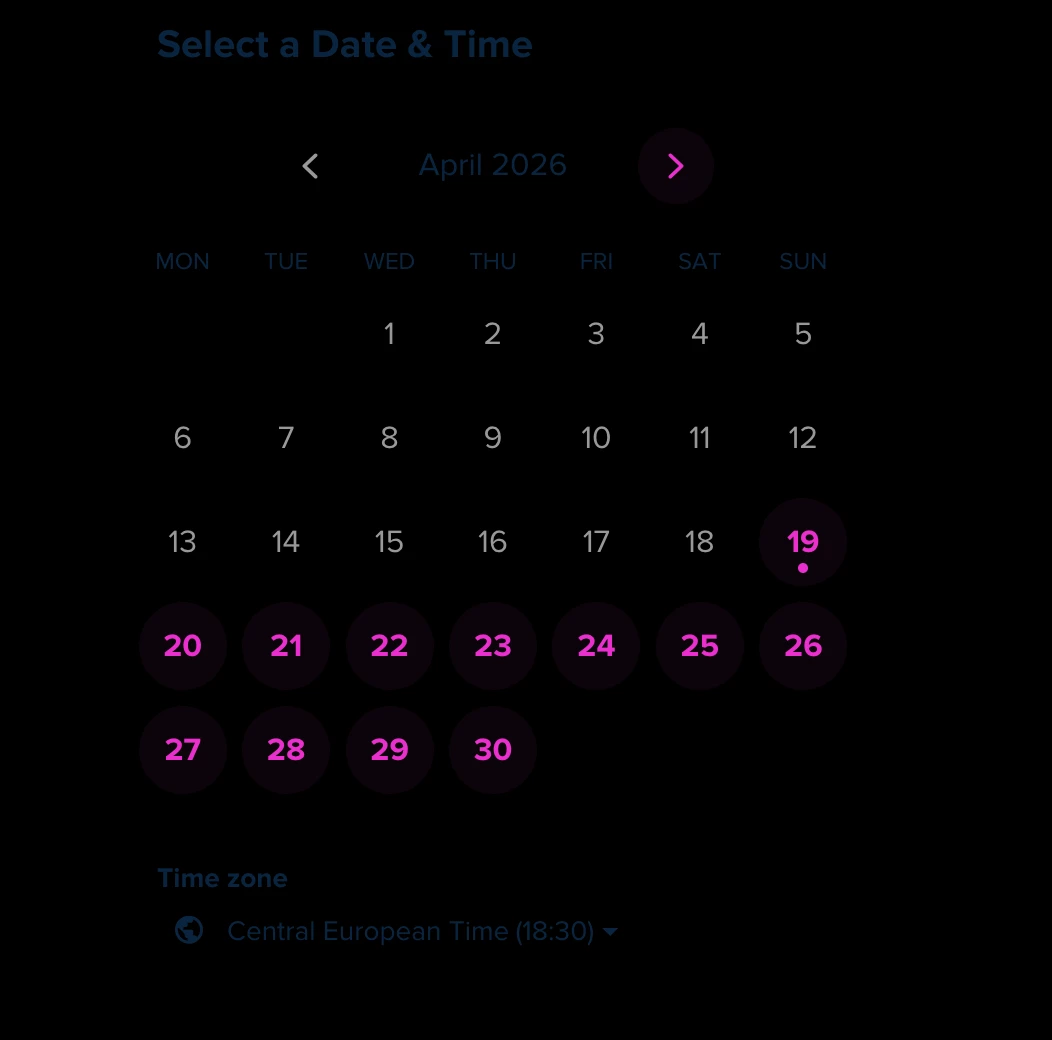
However, this week something changed without me updating anything. Now the date picker text (and some other text elements) suddenly appear in a dark navy blue color, which makes them almost unreadable against my background. The embed settings haven’t changed on my side, so I’m wondering if something was updated on Calendly’s end.
I’m attaching a screenshot so you can see what I mean.
Has anyone else experienced this recently? Is this a known issue or is there a workaround to force the text color back to white?
Thanks in advance for any help or insights.