Community Member
April 22, 2025
Solved

No Available Vacancies

  • April 22, 2025
  • 7 replies
  • 242 views

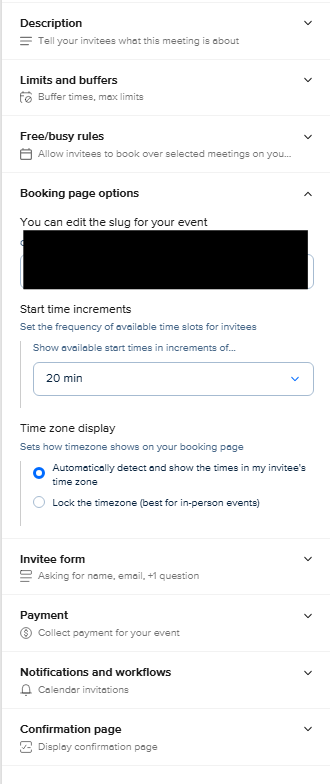
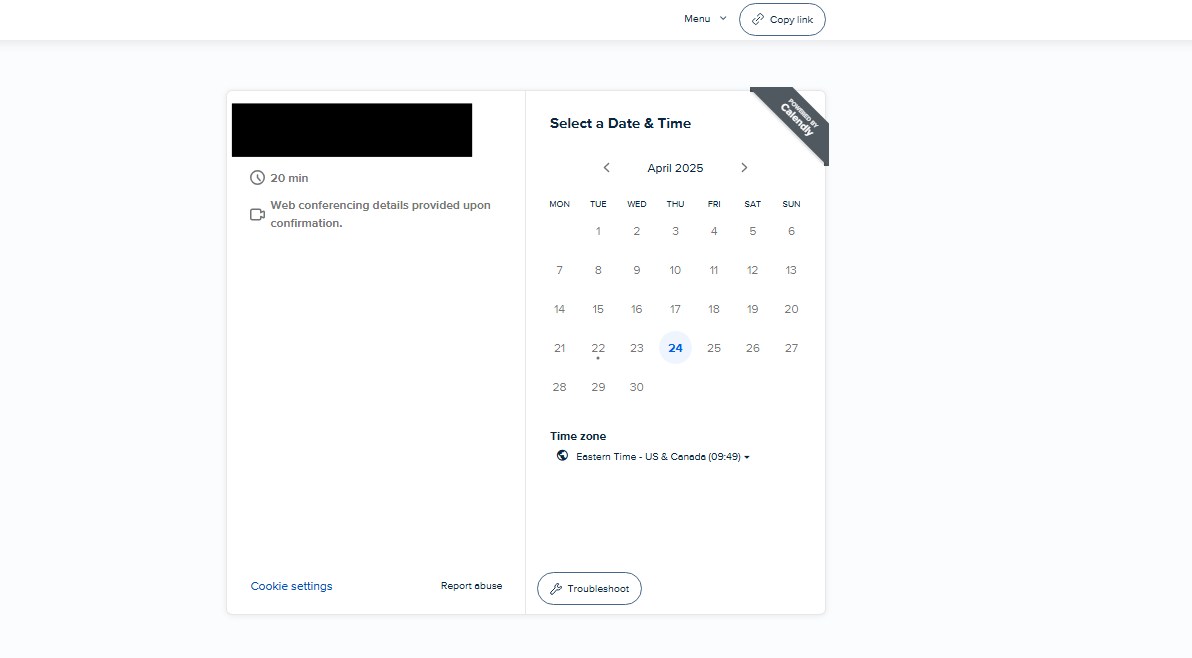
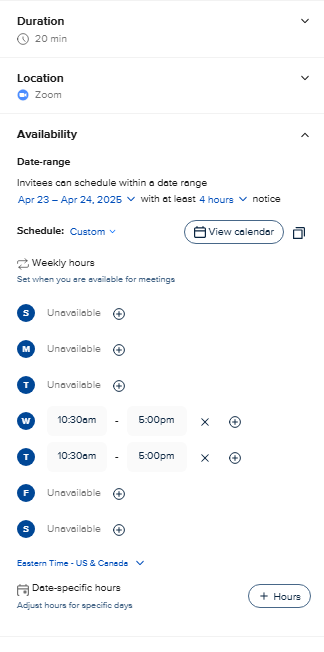
I have this event which is running from April 23rd to April 24th from 10:30 am - 5:00 pm, where I have set everything up properly, but in the booking page Wednesday the 23rd isn’t showing any vacancies though my day is completely free.
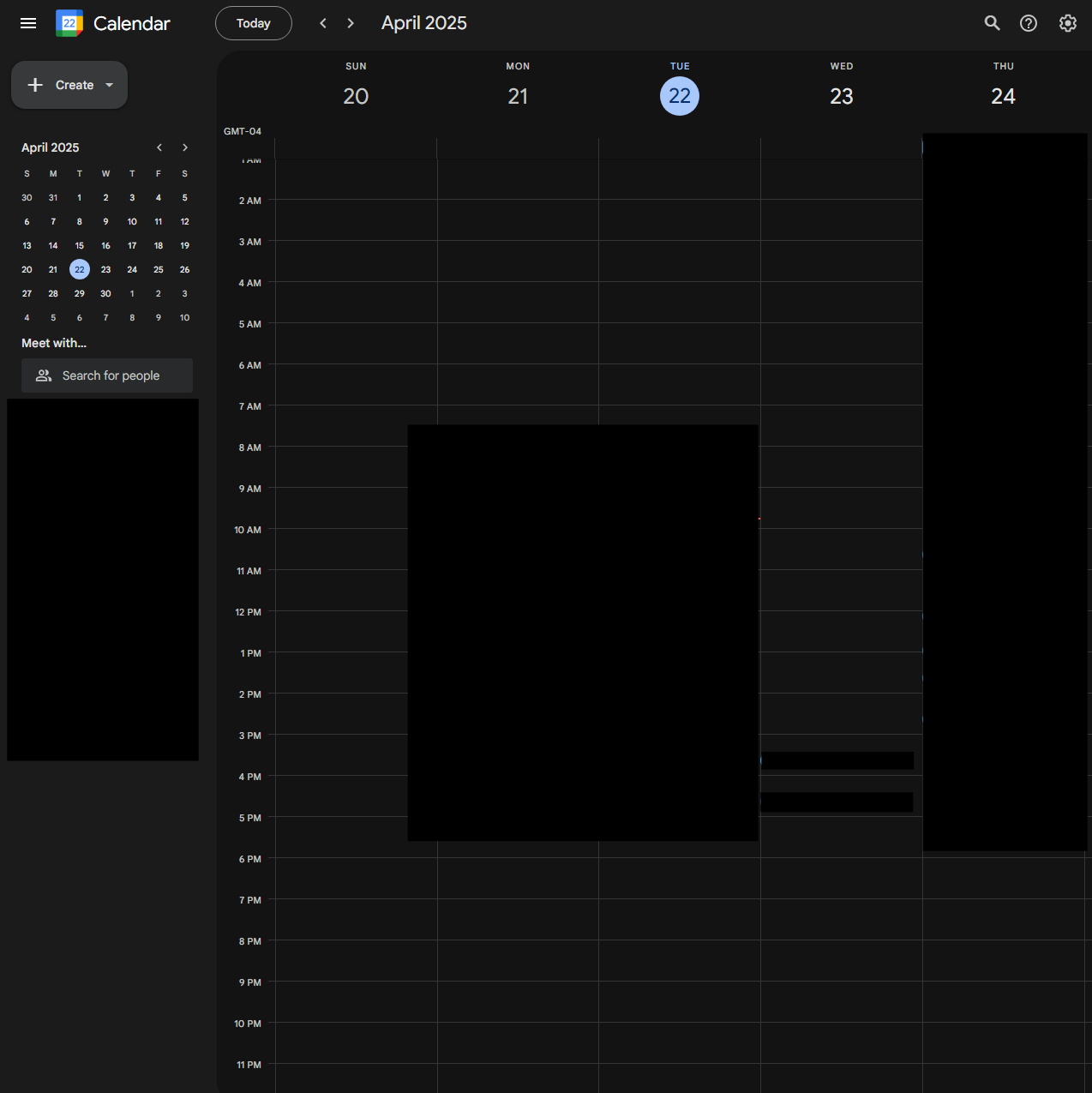
 

Free Google Calendar
Options page
More options page
Booking page


This topic has been closed for replies.
Best answer by David

Hi ​@ahmadmashal - Thanks for reaching our and providing the screenshots!

We have an article on this that will help you diagnose what might be going on. Theres a step-by-step guide on troubleshooting your availability here: What to do when you're unavailable but should be free

If you see an error labeled as CALENDAR, one thing you can try is disconnecting and reconnecting your calendar from this page: https://calendly.com/app/availability/calendar_settings

Let me know if you have any questions!

7 replies

David
Community Manager
DavidAnswer
Community Manager
April 22, 2025

Hi ​@ahmadmashal - Thanks for reaching our and providing the screenshots!

We have an article on this that will help you diagnose what might be going on. Theres a step-by-step guide on troubleshooting your availability here: What to do when you're unavailable but should be free

If you see an error labeled as CALENDAR, one thing you can try is disconnecting and reconnecting your calendar from this page: https://calendly.com/app/availability/calendar_settings

Let me know if you have any questions!

Community Member
April 22, 2025

Hey ​@David,

Thank you for the prompt and quick reply, I followed the troubleshooting tutorial to no avail where even in preview mode the calendar doesn’t show the 23rd to be available.


I also disconnected and reconnected my Google calendar as suggested.


David
Community Manager
Community Manager
April 22, 2025

Hey ​@ahmadmashal - Can you send me a screenshot of the Troubleshooting Page - You’ll need to select the Troubleshoot button here:


After selecting this, select the 23rd, you should see something like this:


If you send me a screenshot of this, I can dig a bit deeper into it.

Community Member
April 22, 2025

Hey ​@David ,


Here is the troubleshooting page it’s saying it’s overlapping but my Wednesday is wide open.


David
Community Manager
Community Manager
April 22, 2025

Got it - Can you check your meetings page to see if any events are posted there?
https://calendly.com/app/scheduled_events/user/me
 

Community Member
April 22, 2025

Got it!

Thank you so much, I don’t know why they are not reflecting on Google Calendar

David
Community Manager
Community Manager
April 22, 2025

Yeah that is odd - I would try disconnecting and reconnecting the calendar once more, then testing to see if NEW events get added to the calendar.

Let me know if you run into anything else!