Question

'Reschedule' ignores host working hours, existing Google Calendar events, and set working hours in Google Calendar

  • March 2, 2026
  • 1 reply
  • 10 views


I’ve seen this discussed in other threads - like this one: 

and am curious if there is a timeline for this being resolved. As the previous poster noted, this is a bad user experience for customers. 


What is happening in my case: 

  1. A user books with an event type link and the meeting is booked correctly based on availability and working hours. 
  2. The customer is no longer available during the initially schedule meeting. They use the reschedule function as part of the original meeting invitation. 
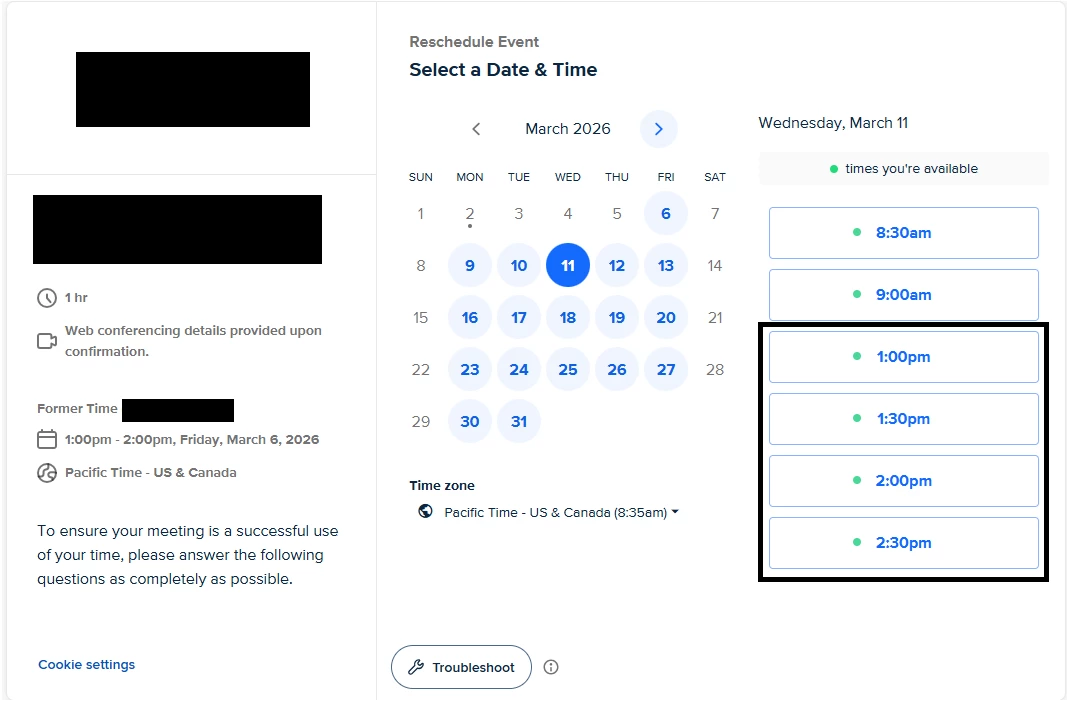
  3. The reschedule function does not take into account: Google calendar working hours, set working hours in Calendly, and blocked ‘busy’ time on Google calendar. This allows a customer to potentially reschedule during times team members are not available. 
  4. This leads to a manual reschedule and having to reach out to the customer to let them know our scheduling tool has a fundamental bug that allowed this to happen. 

This is a significant bug that leads to very, very poor customer experience. I’m curious to the timeline for a fix since it sounds like this is a known bug with an existing ticket that has been open for at least three months.


Example to bring to the development team: 

Customer was able to schedule at 1 PM PST which is outside of a team member’s working hours. Supporting screenshots:  
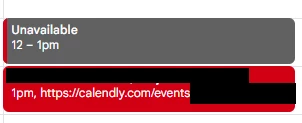
Incorrectly rebooked event outside of team member working hours
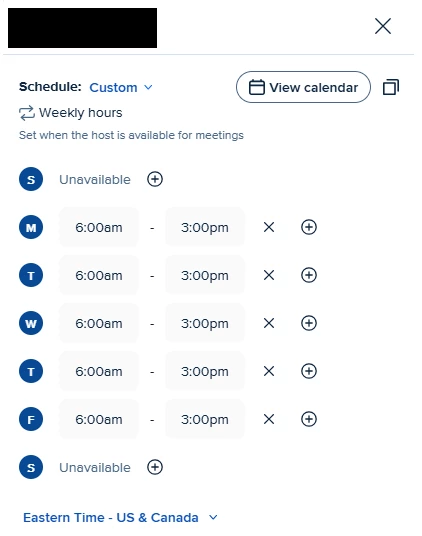
Calendly inaccurately showing availability outside of working hours when a reschedule window is opened using ‘reschedule’ in the meeting invitation. Note: Working hours are set in Calendly and in Google Calendar (see below).
Set working hours in Calendly. Note: These hours are in Eastern Time. For conversion ease, this is 3 AM - 12 PM Pacific Time. 
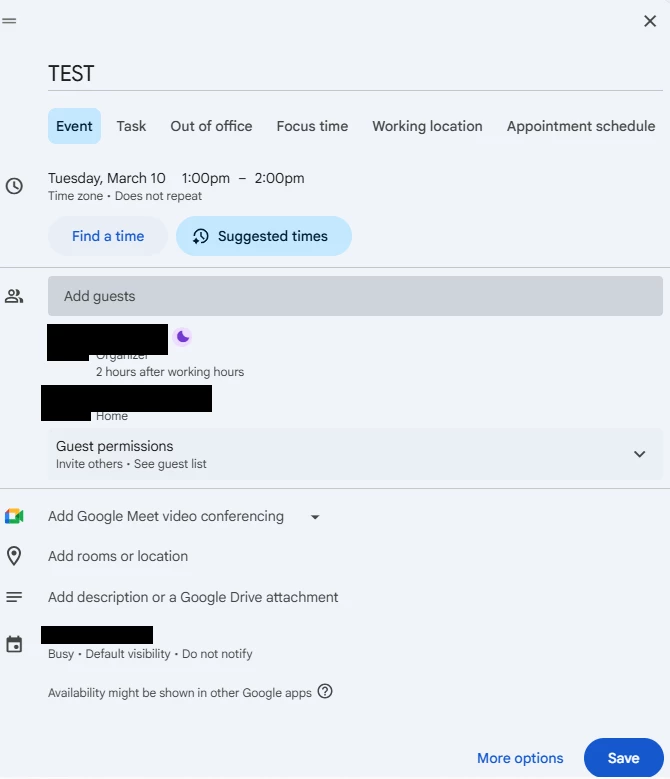
Demonstration that Google Calendar availability is correctly set and 1 PM PST would be outside of the organizer’s working hours.


1 reply

David
Community Manager
  • Community Manager
  • March 2, 2026

Hi ​@Scheduling55641 - Thanks for sending this, especially with this information!

Our team is looking at this from a case-by-case basis. These can get confusing quick, especially with how many settings can effect these events.

My recommendation at this point is to reach out to our support team with the information you’ve sent, along with the following:

  • This user that this occurred with
  • The screenshot of this booking in Calendly
  • When this event was booked

We’ll definitely want to take a much closer too at whats going on here, so getting a better look at the backend would be best.

You can either email all this information over to support@calendly.com, or by reaching out to our support team over chat (They can start a voice call or screen sharing session from there!)

Thank you - Let me know if you have any questions!