Solved

Setting availability limits

  • April 30, 2024
  • 3 replies
  • 2038 views

I’m new to Calendly.


I’ve set up my schedule.  How do I only show my availability for 2 months at a time.  I don’t want folks booking appointments 5 months in advance.


Thank you.

Best answer by Kelsi

Hey there @MollieHR - great question!

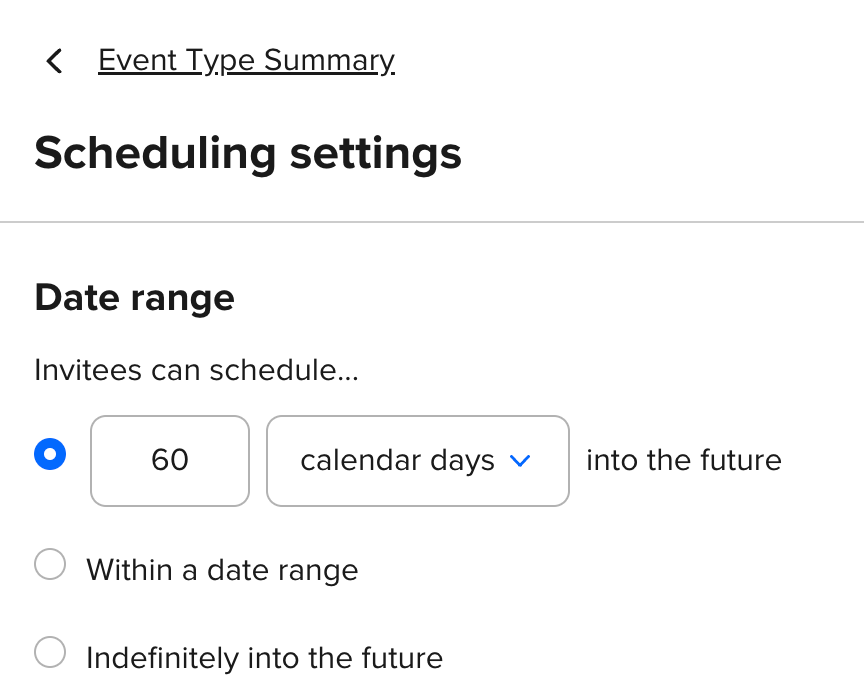
You can do this by setting the “date range” in your event type settings. Rather than allowing invitees to book “indefinitely into the future” you can set it to a specific number of days in the future or within a specific date range (from X date to X date). 

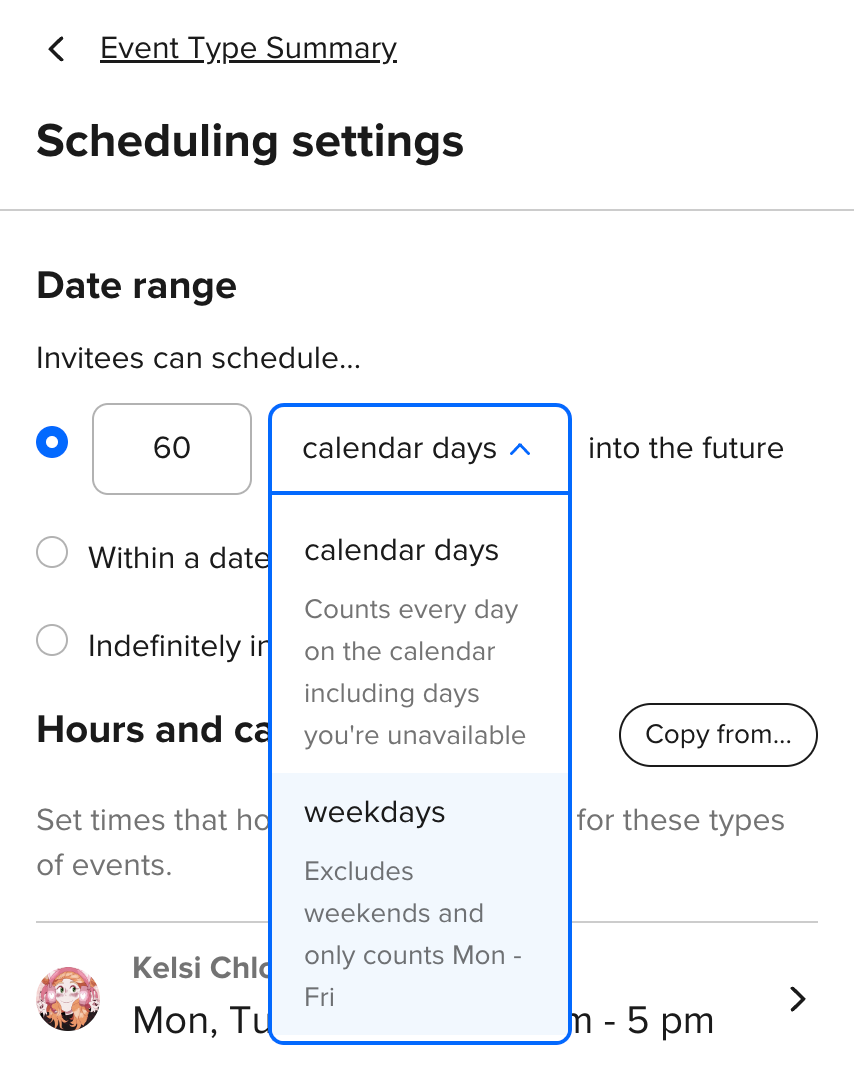
This setting can be found by clicking into your event type > clicking “scheduling settings” > updating the “date range” section. I’d suggest choosing 60 days into the future (you can select “calendar days” or “weekdays” as shown in screenshot 2, below).

Update “Date range” in an event type
Select dropdown to choose between “calendar days” and “weekdays”

I hope this helps!

This topic has been closed for replies.

3 replies

Kelsi
  • CalPal Emeritus
  • Answer
  • April 30, 2024

Hey there @MollieHR - great question!

You can do this by setting the “date range” in your event type settings. Rather than allowing invitees to book “indefinitely into the future” you can set it to a specific number of days in the future or within a specific date range (from X date to X date). 

This setting can be found by clicking into your event type > clicking “scheduling settings” > updating the “date range” section. I’d suggest choosing 60 days into the future (you can select “calendar days” or “weekdays” as shown in screenshot 2, below).

Update “Date range” in an event type
Select dropdown to choose between “calendar days” and “weekdays”

I hope this helps!


  • Author
  • Community Member
  • April 30, 2024

THANK you so much, Kelsi.  Exactly what I needed to know.

--Mollie


Kelsi
  • CalPal Emeritus
  • April 30, 2024

You are SO welcome @MollieHR - very happy to help! Back to easy scheduling, for you! 🤗