Question

Slots not being shown up correctly and troubleshoot shows buffer when there isn't
  • October 4, 2024
  • 2 replies
  • 58 views

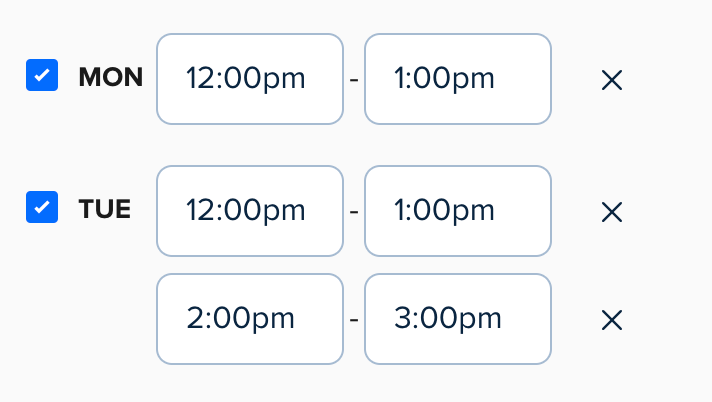
Image 1 ^^


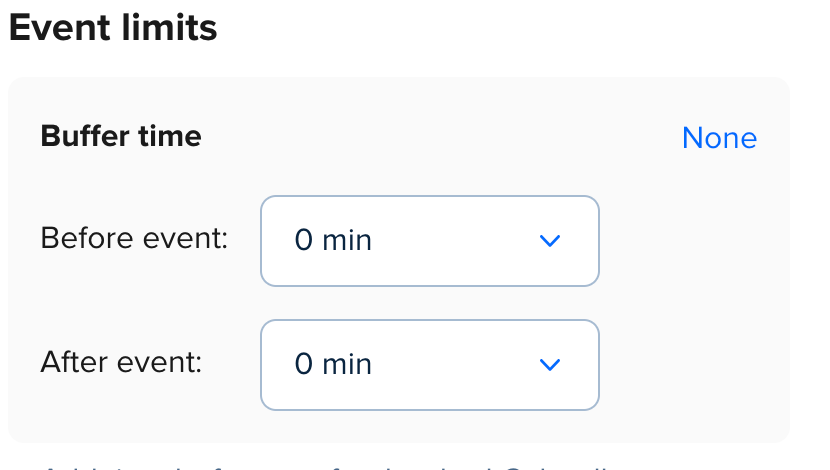
Image 2 ^^


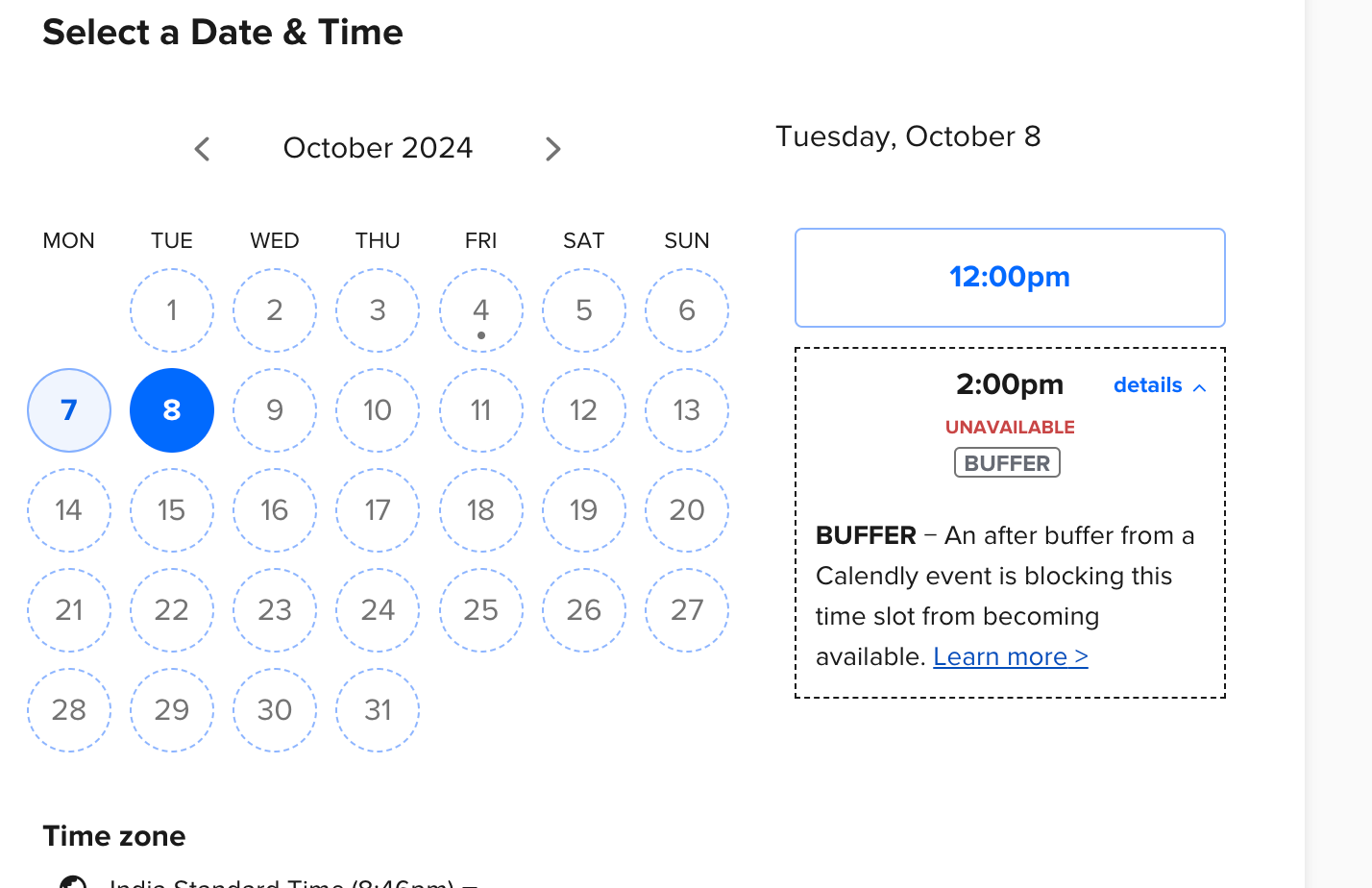
Image 3 ^^


Slots I want to make available:
7th Oct - 12-1PM

8th Oct - 12-1PM, 2-3PM

9th Oct - 11-12PM, 2-3PM

Somebody please help in making slots available for 8th October. As shared in Image two, I am not able to book a slot for 2pm. The troubleshoot shows there is a buffer time but we do not have the buffer for this event type. 

This is really urgent and any help would be appreciated.

This topic has been closed for replies.

2 replies

Sean Marlin
Community Manager
  • Community Manager
  • October 4, 2024

Hi @Anshuman35013,


There might be a couple other things to check in addition to buffers. First thing I would check is to make sure that there isn’t already an existing meeting already on your calendar that is causing this conflict. Next thing to check is to make sure that there aren’t date specific hours set up that would conflict with the times you are trying to schedule. I’m leaving a few resources below about troubleshooting your availability and more on buffers.


How to use buffers

Managing additional rules for your availability

What to do when you're unavailable but should be free


  • New Community Member
  • October 7, 2024

In addition to checking buffers, ensure there's no existing meeting on your calendar causing the conflict. Also, verify that no date-specific hours are set up that might interfere with the times you're trying to schedule. Below are resources for troubleshooting availability and buffers.