Why can't I add additional times to my schedule?
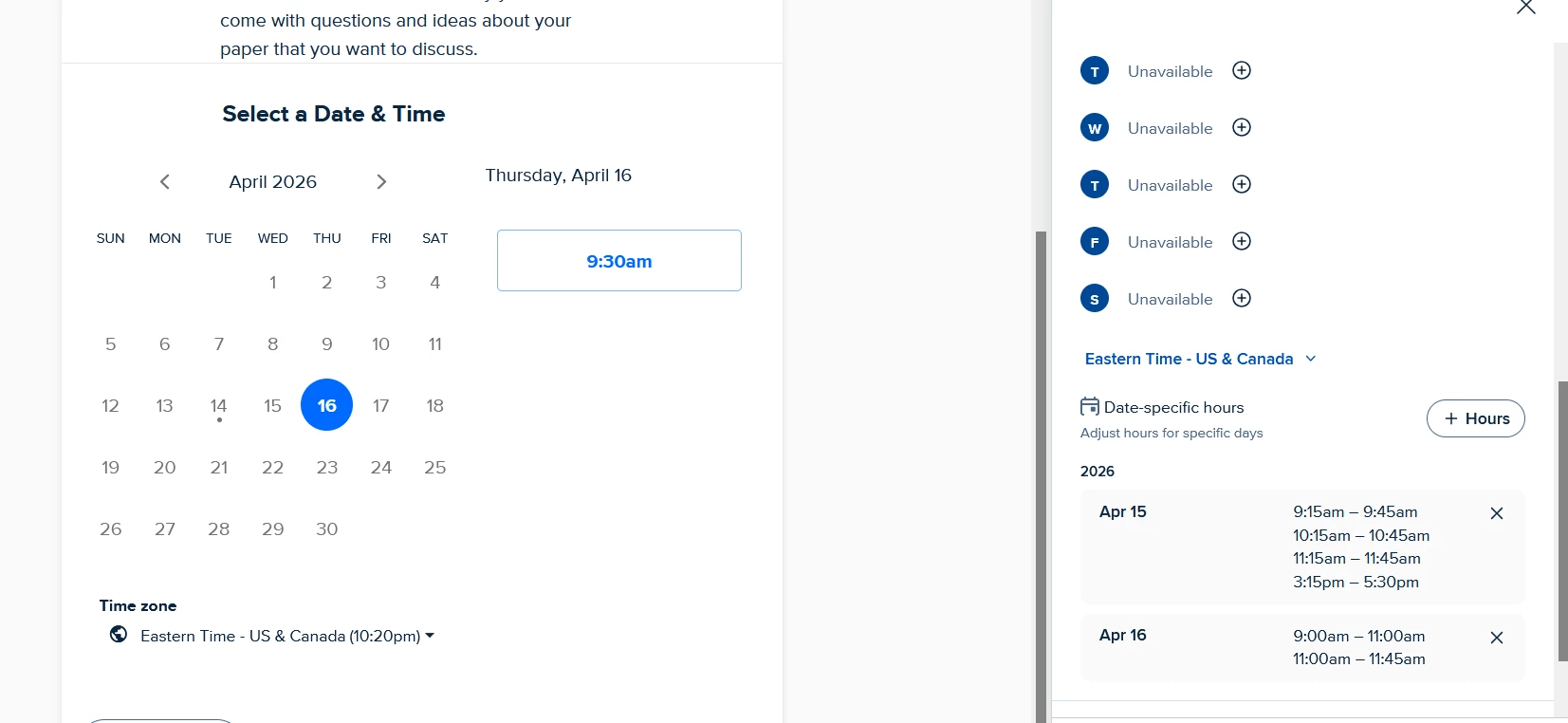
I’ve been using Calendly for a long time and have always found it easy to revise the available times to schedule meetings. However, tonight something is definitely wrong. I added an additional time period to my date-specific times and hit save, as I always do. When I look at the preview, though, it’s not showing for my meeting attendees to select. You can see from the screenshot below that I added an 11:00-11:45 window to April 16th, but when you look at the preview, those additional times are not shown (and no one has signed up for them already). I’ve attempted to log out and log back in, but that hasn’t worked. I have also tried multiple browsers and devices. It doesn’t seem to make any difference. The only filter I have set up is a cap of 30 meetings per day, and I’m not even close with the signups I have already.
What is going on??